> ## Documentation Index
> Fetch the complete documentation index at: https://docs.mileapp.dev/llms.txt
> Use this file to discover all available pages before exploring further.
# Start Finish Icon and History
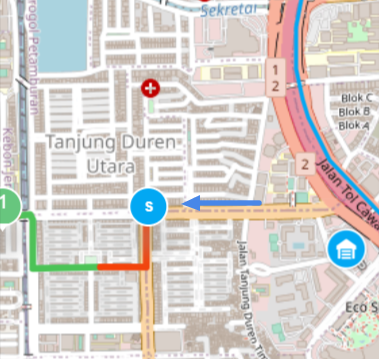
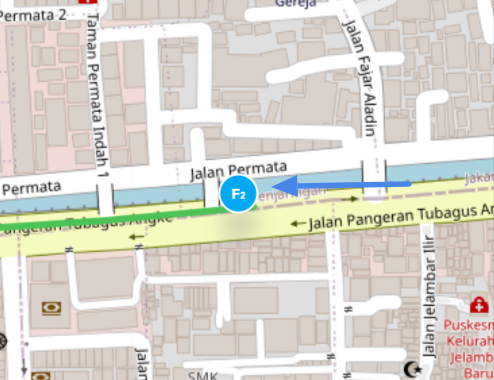
The Start Finish icon and history will be shown on the [Task Tracking page](https://web.mile.app/tasks/tracking) if the user has clicked the Start / Finish button on the MileApp Field mobile app. This Start and Finish history will be shown as an icon on the Tracking map.
## Start Icon and Information
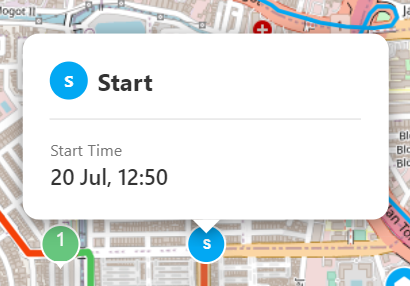
The Start (S) icon on the map is a clickable icon that will show you the information about the Start Time of the user.
* The Start Time is the time when the user clicks the Start button on the mobile app.
## Finish Icon and Information
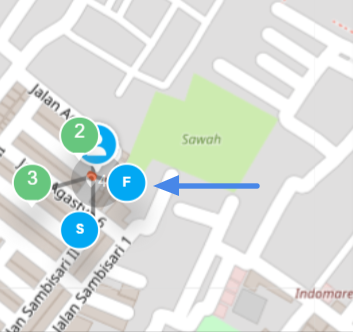
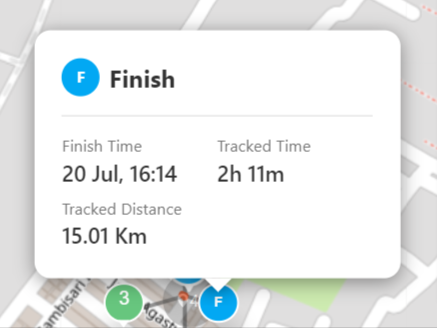
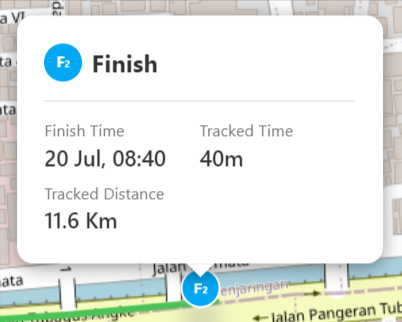
The Finish (F) icon on the map is a clickable icon that will show you the information about the Finish Time, Tracked Time, and Tracked Distance of the user.
* The Finish Time is the time when the user clicks the Finish button on the mobile app.
* The Tracked Time is the total time since the user Start until the click the Finish button on the mobile app.
* The Tracked Distance is the total distance time since the user Start until the click the Finish button on the mobile app.
## Multiple Start and Finish Session
If there's more than 1 Start Finish session in a day, The Start Finish icon and information card will have a number on it to show the connection between each Start Finish in each session.
For example, if there are 3 Start Finish sessions in a day, the first session Start Finish will have number 1 on the icon, the next session will have number 2 on the icon, and so on.