> ## Documentation Index
> Fetch the complete documentation index at: https://docs.mileapp.dev/llms.txt
> Use this file to discover all available pages before exploring further.
# Previewing a flow
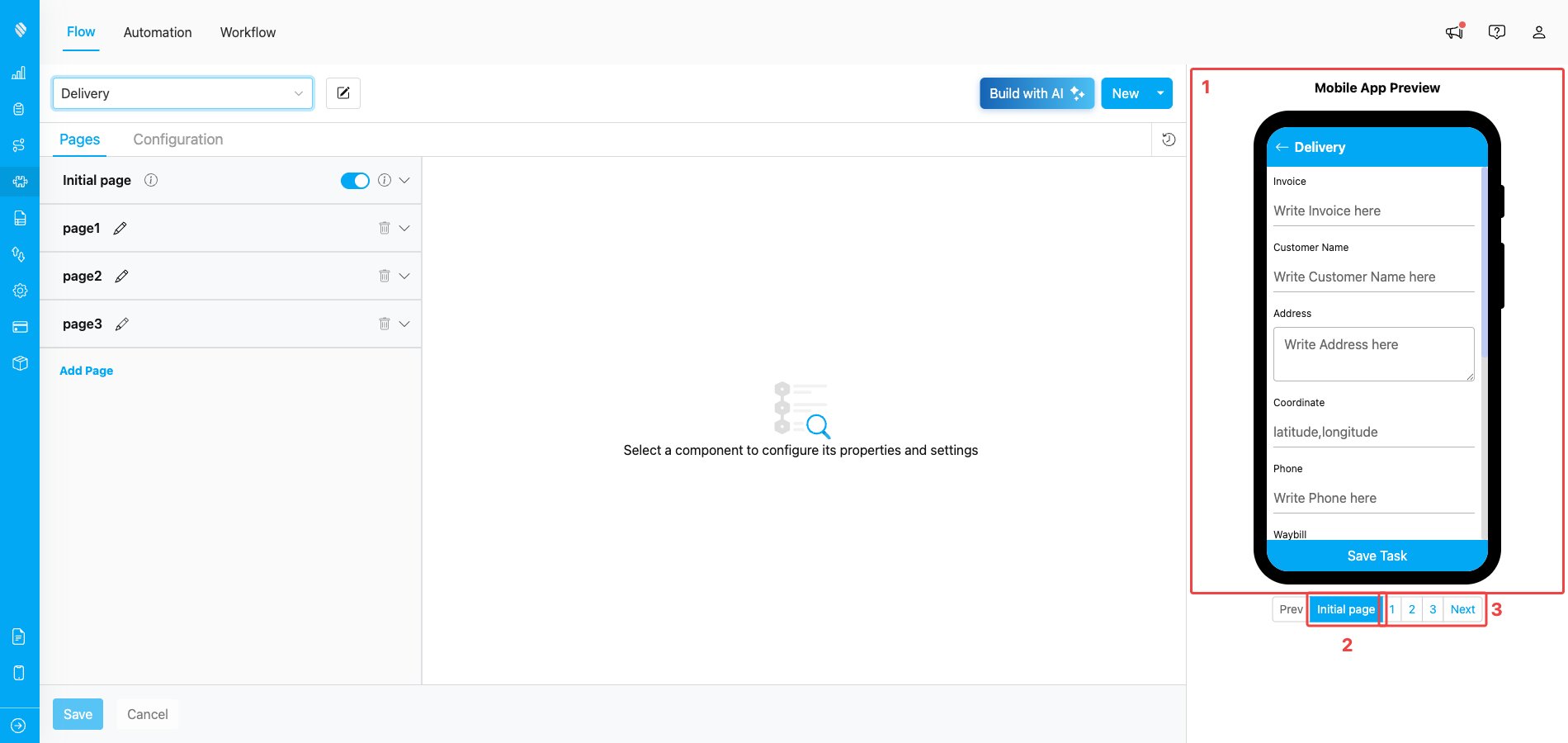
Flow Menu Display
Required permission:
* View Flow
**Flow's Mobile app Preview:**
1. Preview of the flow in the mobile app
2. The initial page always exists on a flow, the initial page will be displayed when you create a task in the web and mobile app.
3. Navigation between mobile app pages of the Flow that you currently build