> ## Documentation Index
> Fetch the complete documentation index at: https://docs.mileapp.dev/llms.txt
> Use this file to discover all available pages before exploring further.
# How to Delete a Vehicle
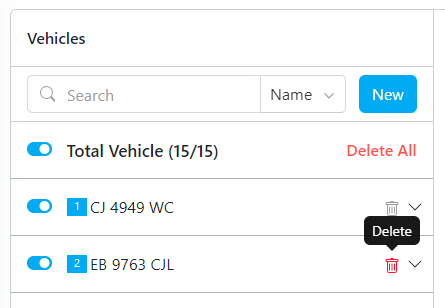
There are two ways to delete a vehicle:
1. **Delete Specific Vehicle**: Remove an individual vehicle from the list.
2. **Delete All**: Remove all vehicles at once. Use this option with caution. This action cannot be undone.
Required permission:
* View Vehicle
* Delete Vehicle
Delete Vehicle