> ## Documentation Index
> Fetch the complete documentation index at: https://docs.mileapp.dev/llms.txt
> Use this file to discover all available pages before exploring further.
# Creating One Task
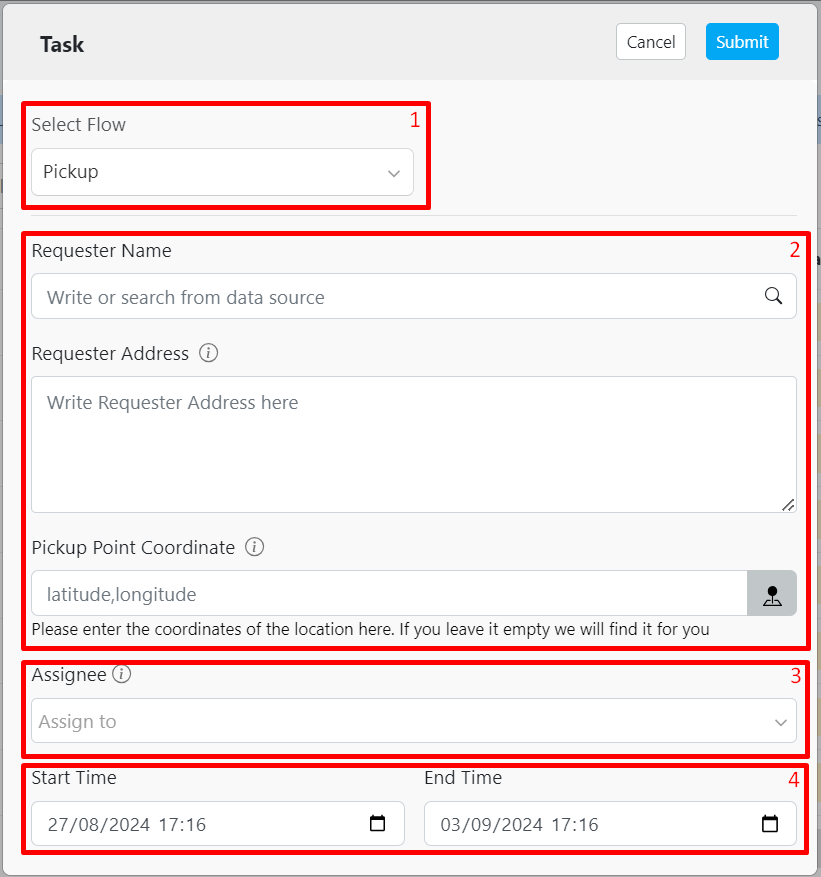
1. Select a Flow
2. Fill in the information (this field will be varied based on your Flow setting)
3. Assign an assignee to the task you are creating. If you do not wish to assign someone during task creation, you can skip this step
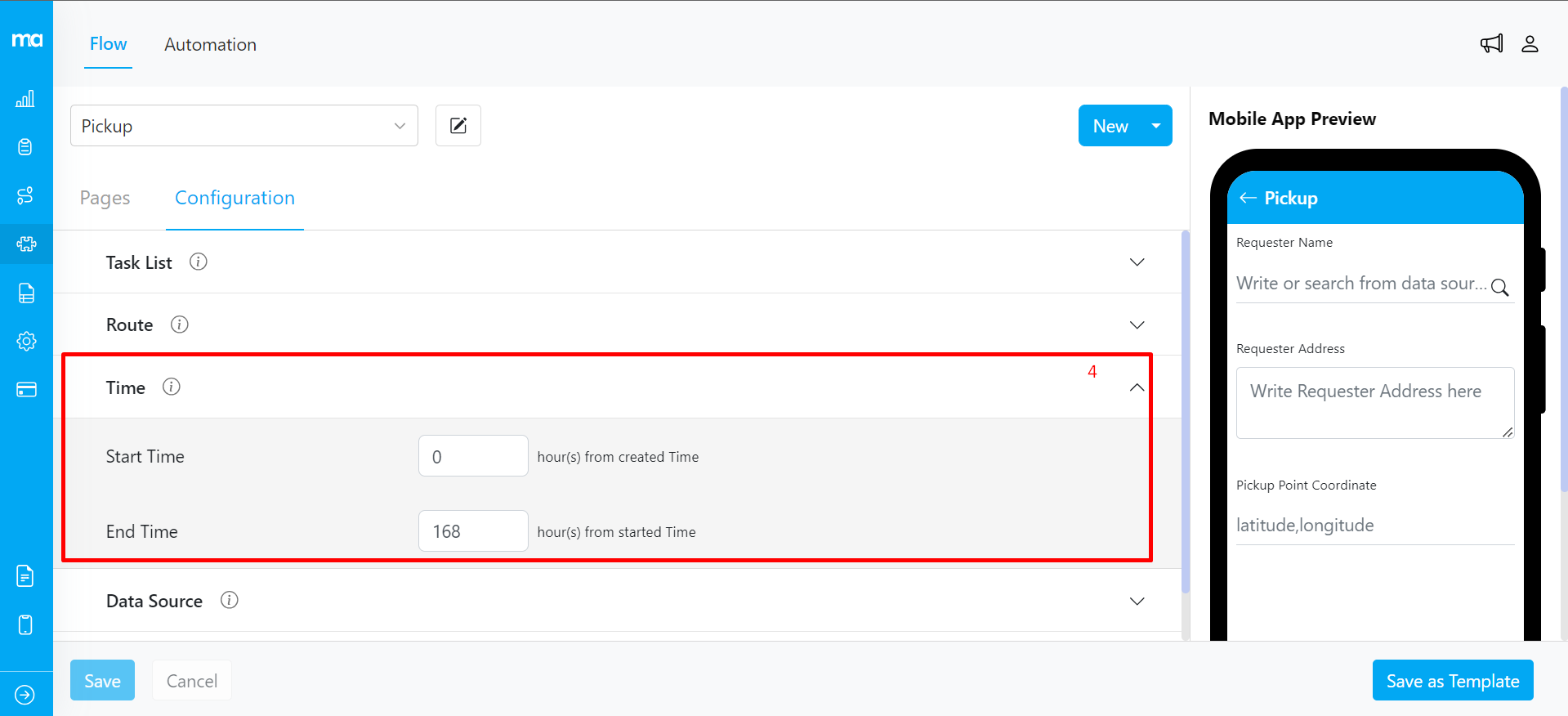
4. You could use the default configuration from the Flow, or you could adjust the Start and End time manually. The configuration could be found at [Flow Configuration, Time](https://web.mile.app/flow/flow) as shown below: