

How to Access
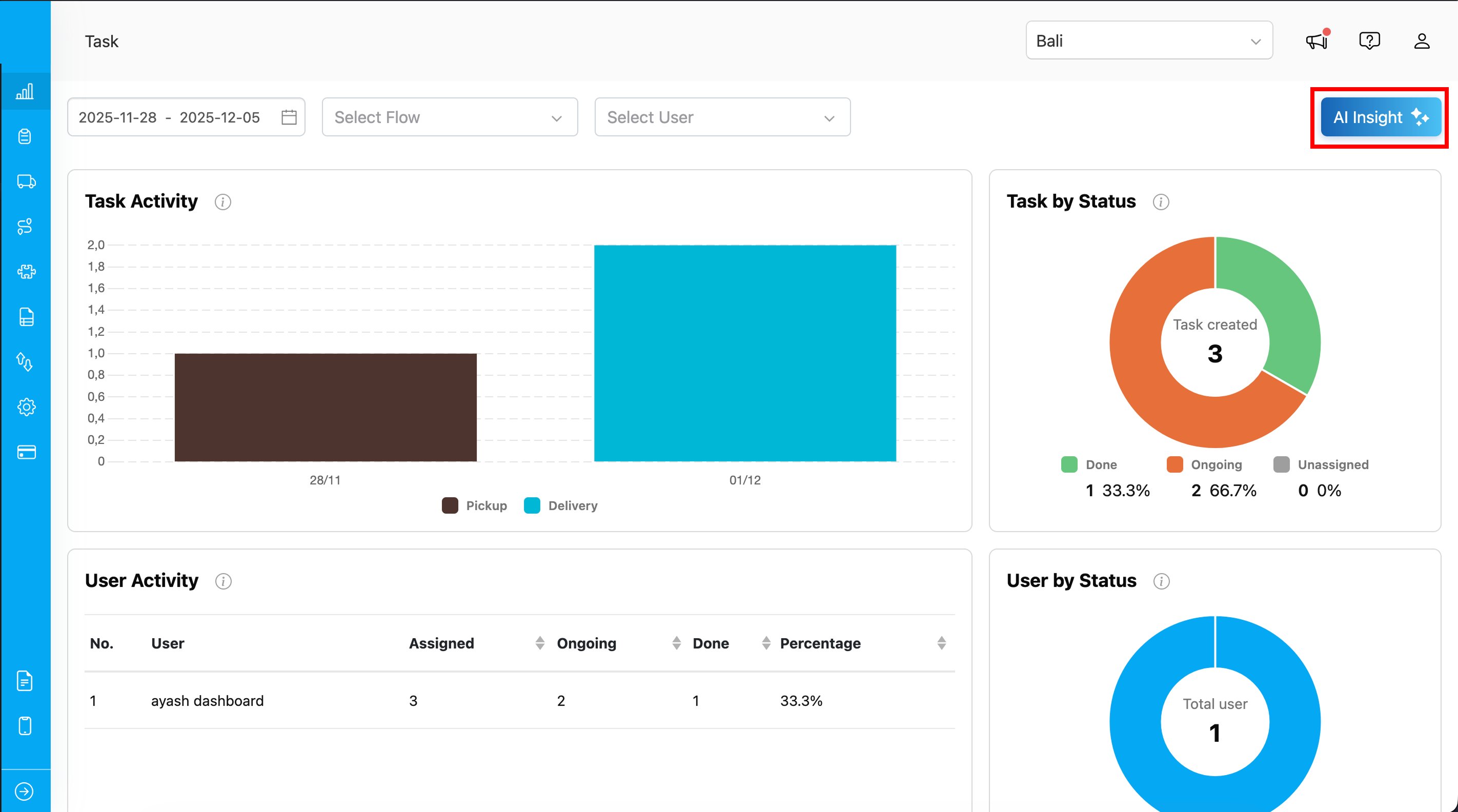
- Navigate to the Dashboard menu
- Click the AI Insight button
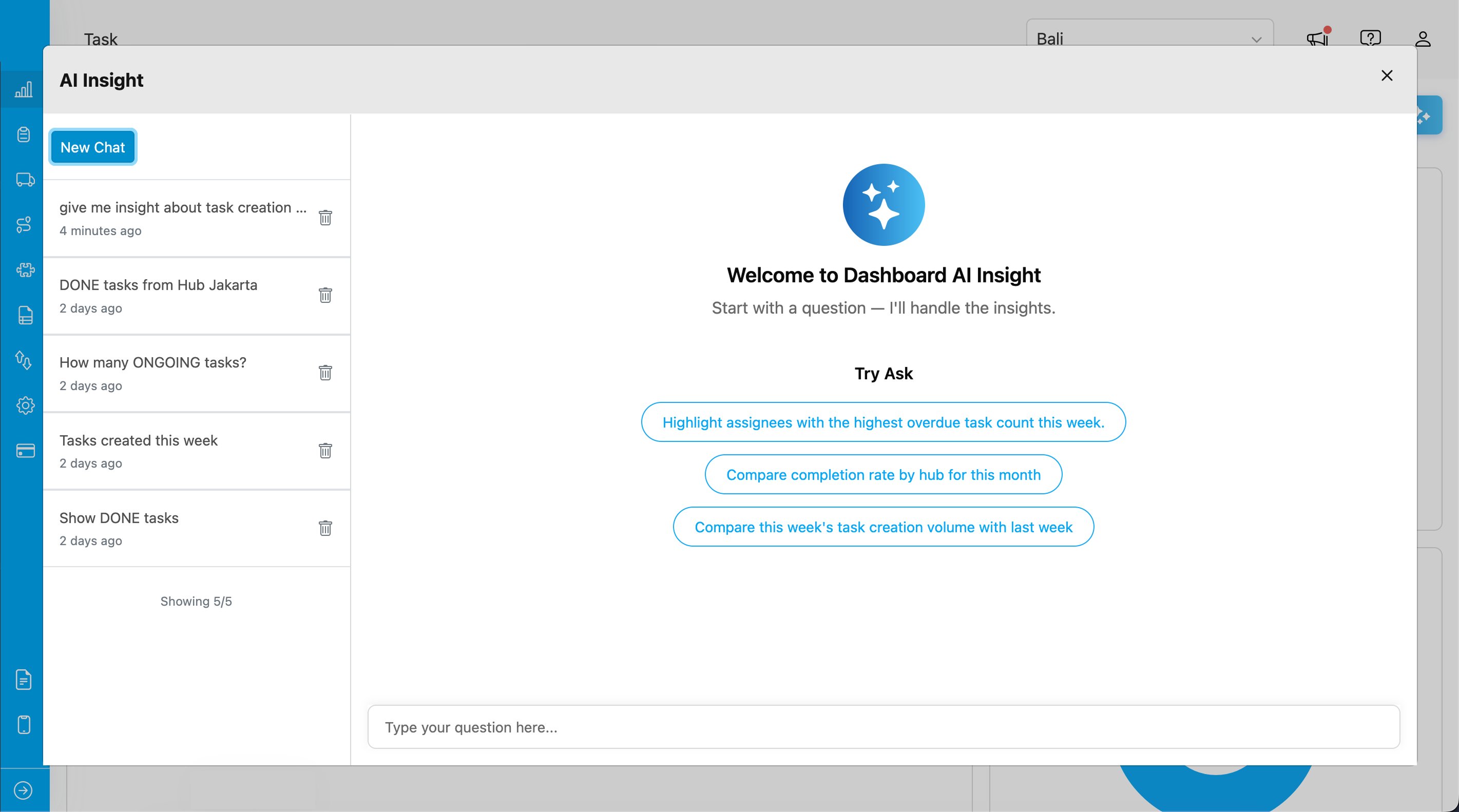
- The AI Insight modal will open
Asking Questions
Type your question in the input field and press Enter or click the send button. The AI will analyze your dashboard data and provide insights.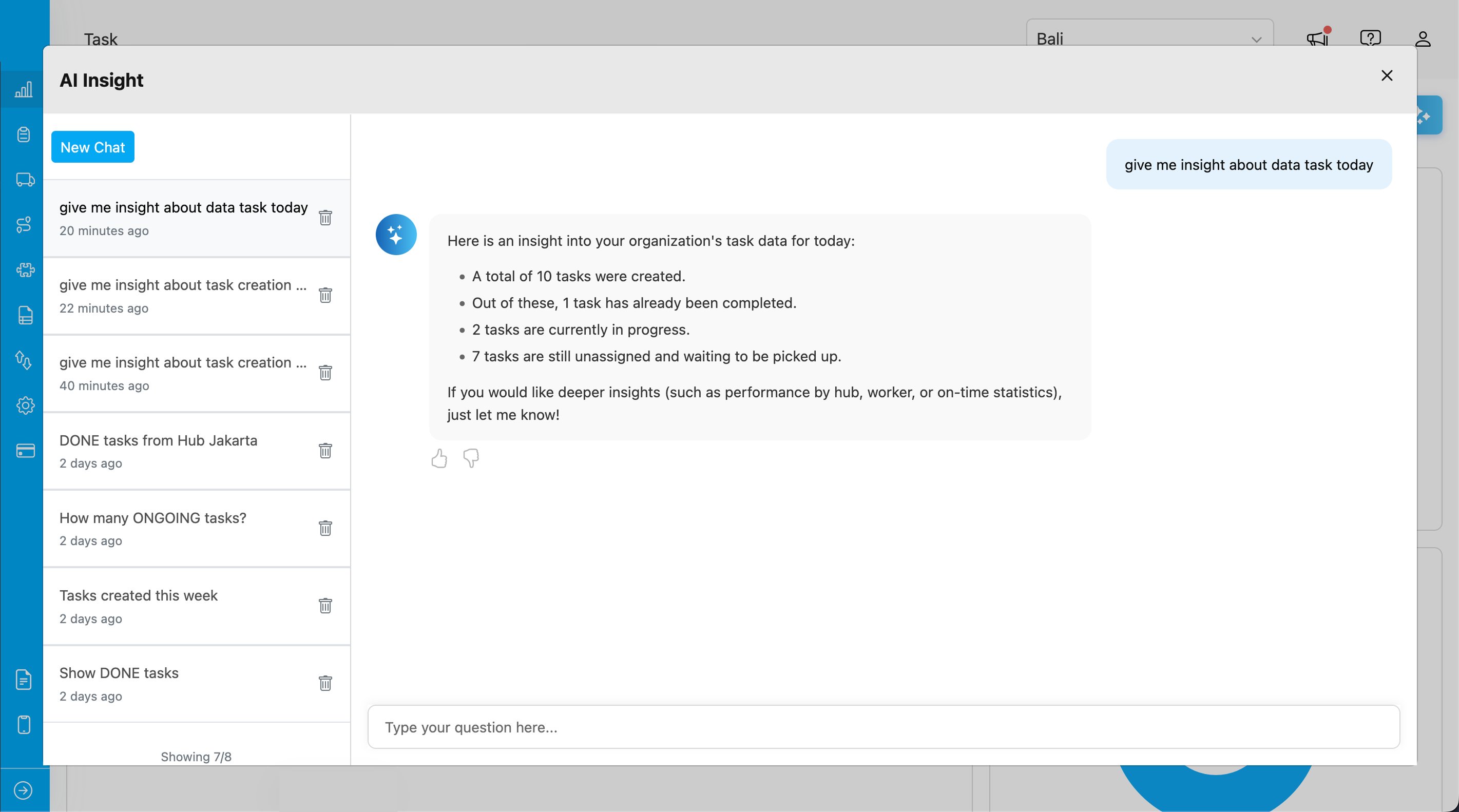
Suggested Questions
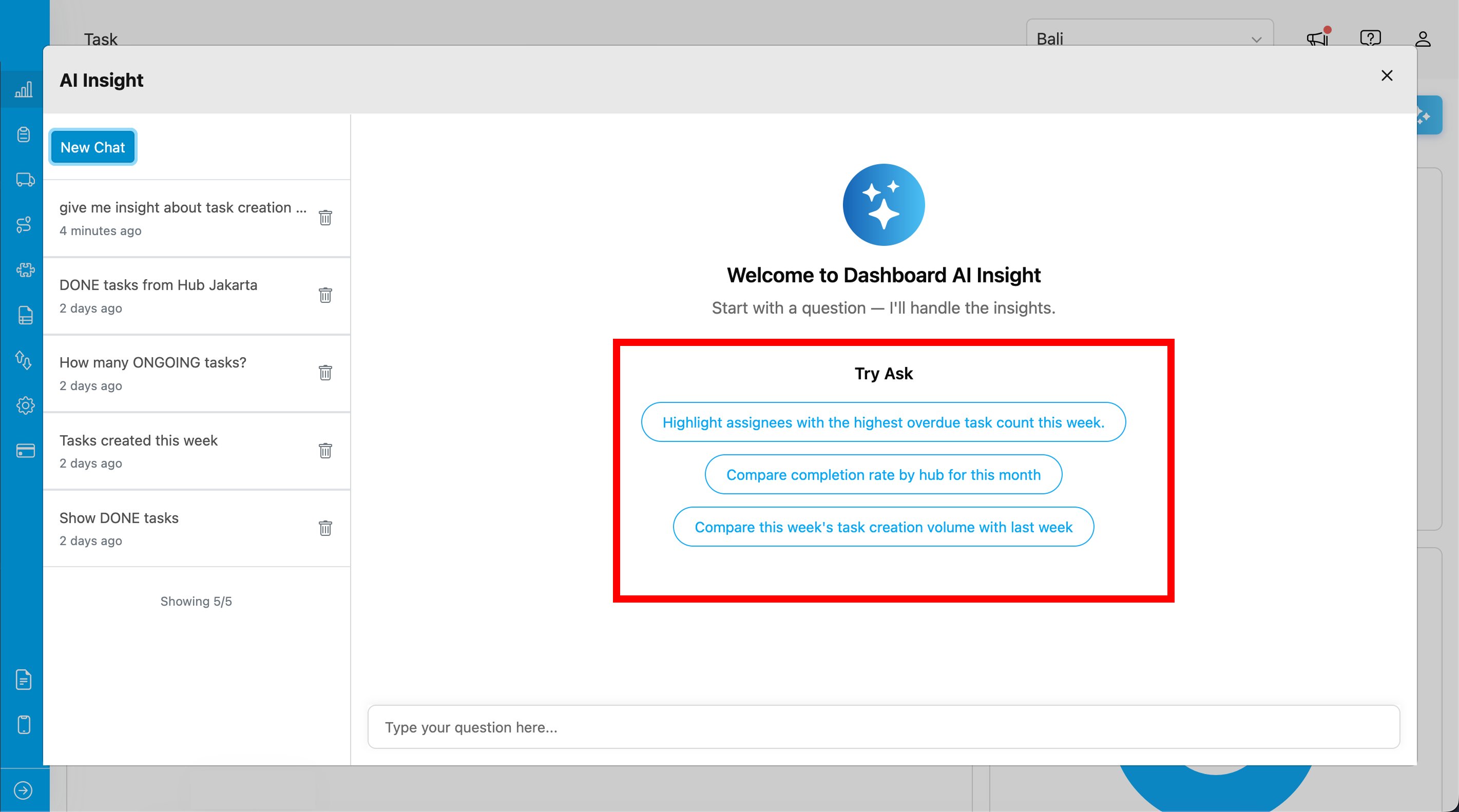
When you start a new chat, you’ll see suggested questions to help you get started:- “Highlight assignees with the highest overdue task count this week”
- “Compare completion rate by hub for this month”
- “Compare this week’s task creation volume with last week”
Conversation History
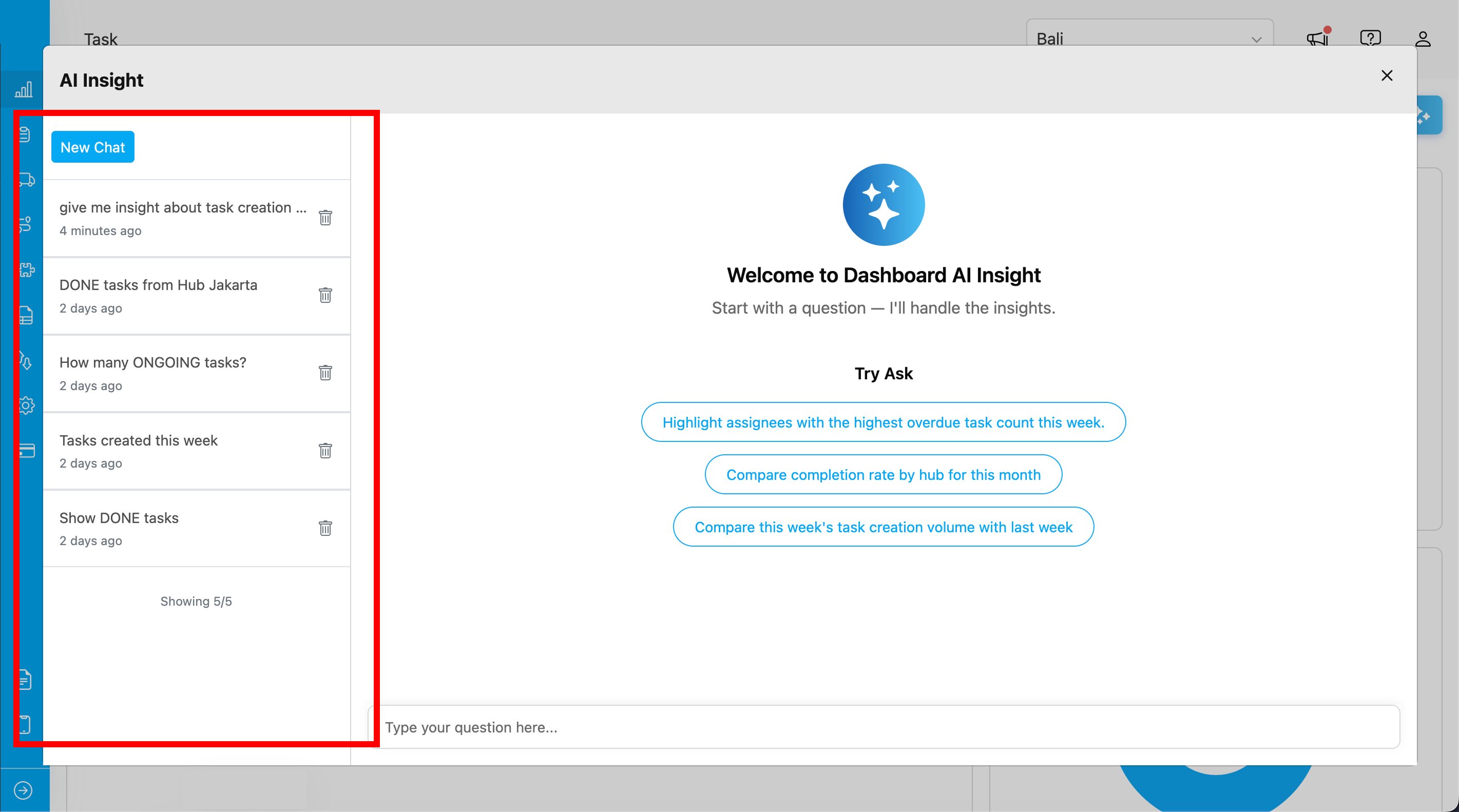
Your conversations are saved automatically, allowing you to revisit previous insights.- View past conversations in the left sidebar
- Click a conversation to load its messages
- Use Load More to see older conversations
- The count indicator shows your progress (e.g., “Showing 10/25”)
Managing Conversations
Start New Chat
Click the New Chat button to start a fresh conversation. This clears the current chat and shows the suggested questions.Delete Conversation
- Hover over a conversation in the sidebar
- Click the trash icon
- Confirm deletion in the dialog
Providing Feedback
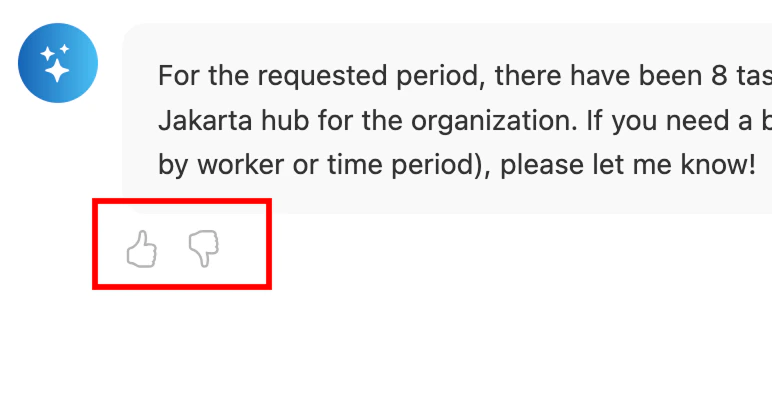
Help improve AI responses by providing feedback on each answer:- Thumbs up - The response was helpful and accurate
- Thumbs down - The response needs improvement
Tips for Best Results
- Be specific with time ranges - Use phrases like “this week”, “this month”, or “last 7 days”
- Ask about metrics and trends - Questions about completion rates, task counts, and comparisons work well
- Use clear, concise language - Simple questions often yield better results
- Try the suggested questions - They’re designed to showcase the AI’s capabilities
- Ask follow-up questions - Continue the conversation to dive deeper into insights