

- Sign in with your account to web/mile.app
- Choose Billing menu on the sidebar
Plan
This section provides you with a list of available plans. It also offers detailed information about the benefits of each plan and includes a cost calculator to simulate your potential usage. This empowers you to make informed decisions regarding your subscription.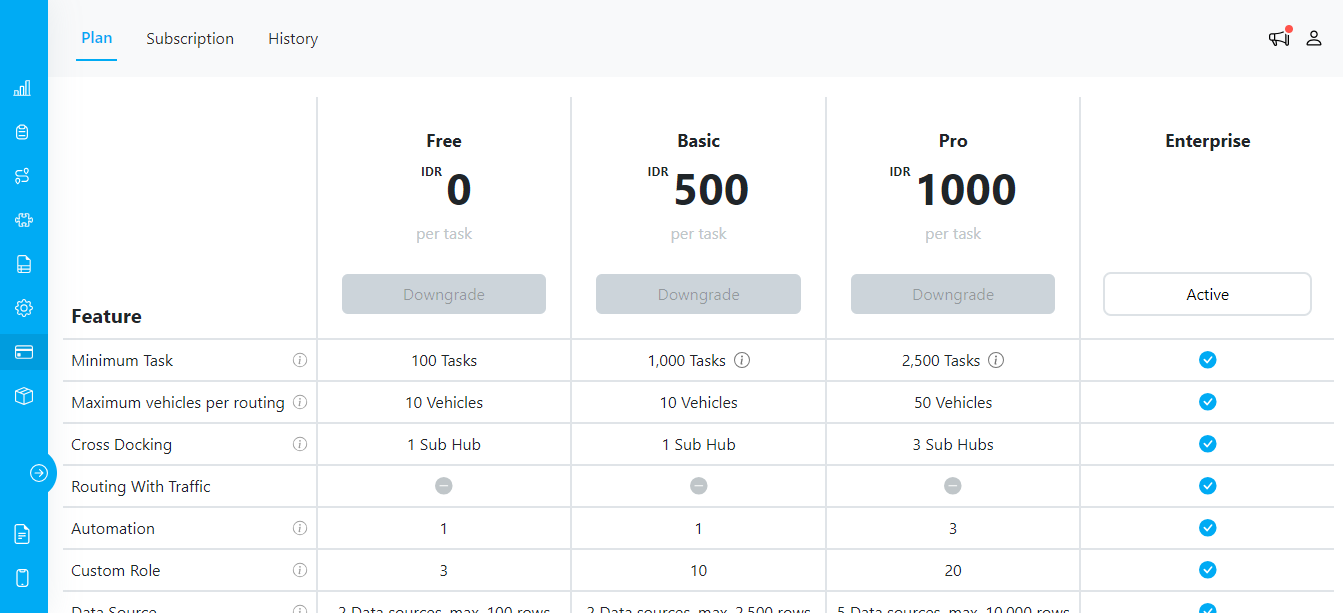
Billing/Plan Menu
Subscription
The “Subscription” section offers comprehensive details about your current license and payment information. Here, you can conveniently make payments, ensuring your subscription remains up to date. For USD (credit card) plans, renewals are charged automatically to your saved card each billing period. To change or remove the saved card, open the Stripe Customer Portal via the Manage Credit Cards button on the Invoice sub-menu. For IDR (bank transfer) plans, you pay each invoice manually each period.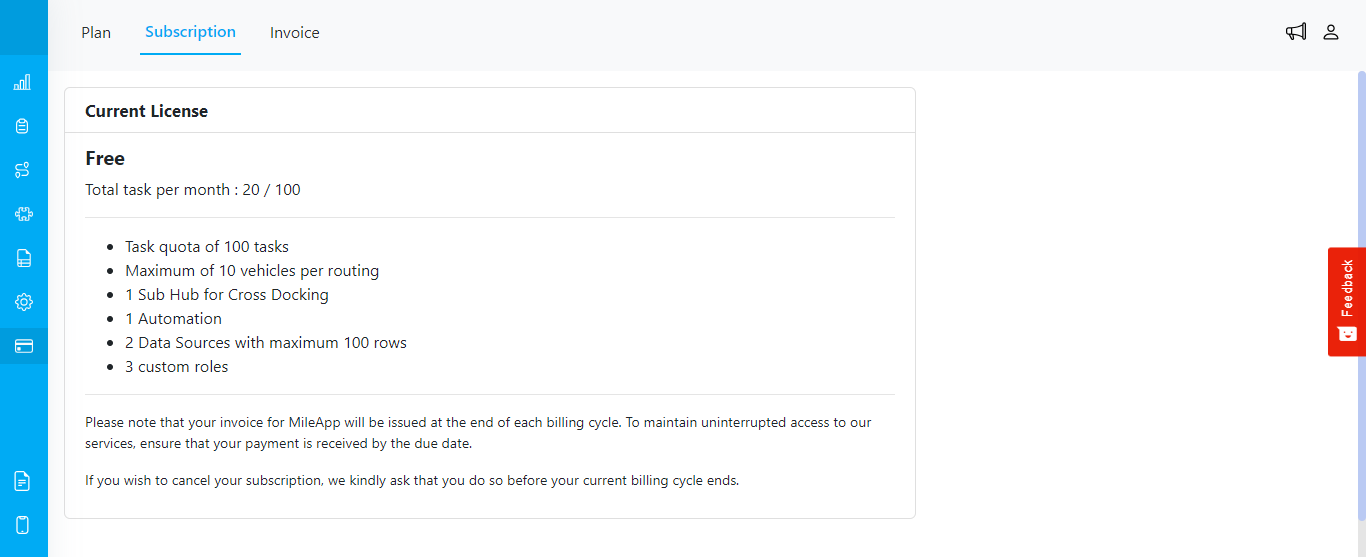
Billing/Subscription Menu
Invoice
The “Invoice” section provides you with a chronological view of your payment history and past invoices. This helps you keep track of your financial interactions with our service.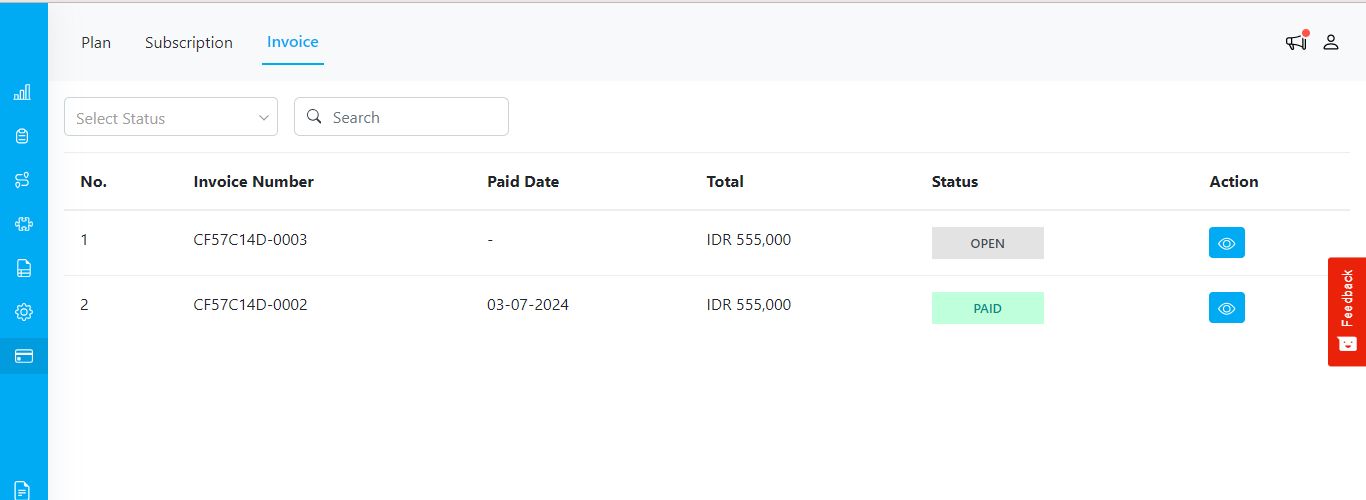
Billing/Invoice Menu
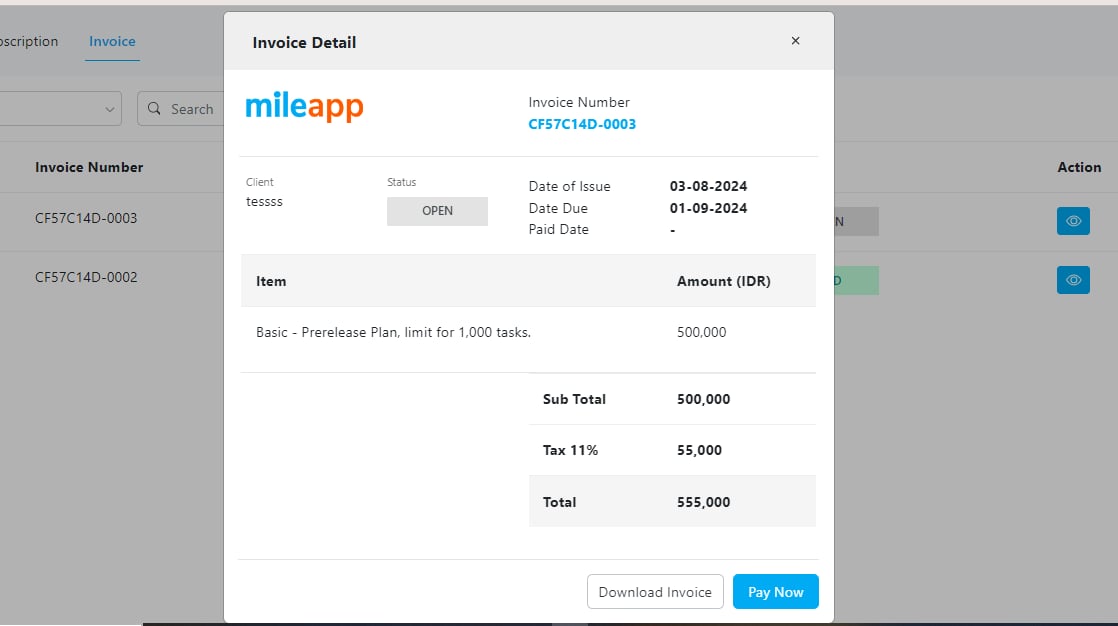
Example of Open Invoice in Billing/Invoice Menu