

What is the Privacy Policy Agreement?
The Privacy Policy Agreement is a mandatory step in the MileApp registration process where new users must review and accept the terms regarding how their personal data will be collected, used, and protected. This ensures transparency and compliance with data protection regulations.When Do You See the Privacy Policy?
The privacy policy agreement appears at three points during the registration process:1. Registration Page (Email Signup)
When signing up for a new MileApp account using email, you’ll see the privacy policy link at the bottom of the registration form:- Location: Bottom of registration form
- Action: Click “Privacy Policy” link to open modal with full policy text
- Multi-language Support: Available in English, Indonesian, and other supported languages
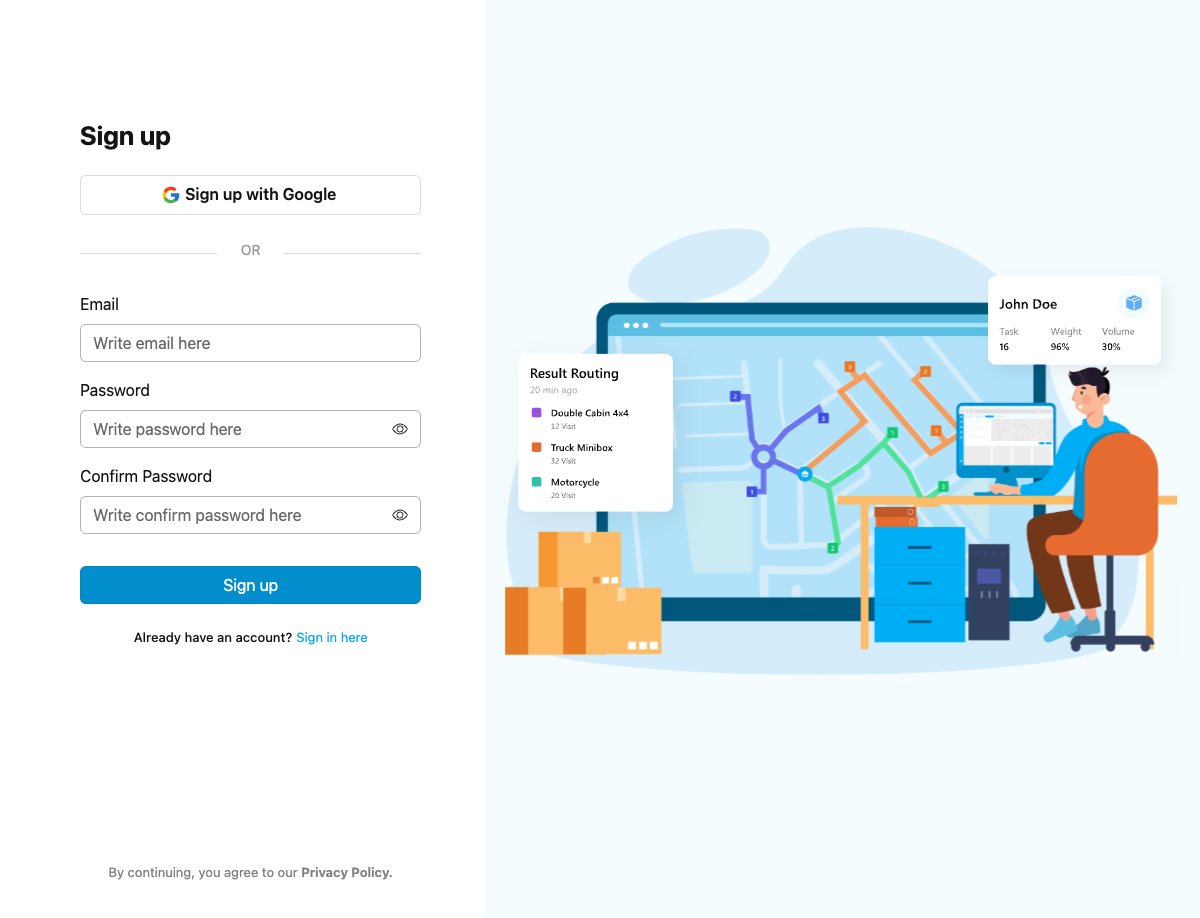
Registration page with privacy policy agreement link
2. Google Signup
When signing up using “Sign up with Google”, you’ll see the privacy policy information:- Location: Google consent screen during OAuth flow
- Format: Informational text with links to privacy policy and terms of service
- Content: “Before using this application, you can review the privacy policy and terms of service at mile.app” (or in your selected language)
- Action: Review the linked policy before proceeding with Google authentication
- Redirect: After successful Google authentication, redirects to MileApp verification
3. Verification Code Page
After submitting your registration, you’ll see the privacy policy link again in the page footer:- Location: Page footer on verification code screen
- Format: External link (opens in new tab)
- Action: Click “Privacy Policy” to open https://mile.app/privacy in a new browser tab
- Additional Links: Footer also includes “Contact Us” link to https://mile.app/support
How to Review the Privacy Policy
During Email Registration
Step 1: Start Registration Navigate to the MileApp registration page athttps://web.mile.app/register.
Step 2: Fill Registration Form
Enter your registration information:
- Organization name
- Email address
- Password
- Country selection
“By continuing, you agree to our Privacy Policy”Click on “Privacy Policy” link to open the policy document.
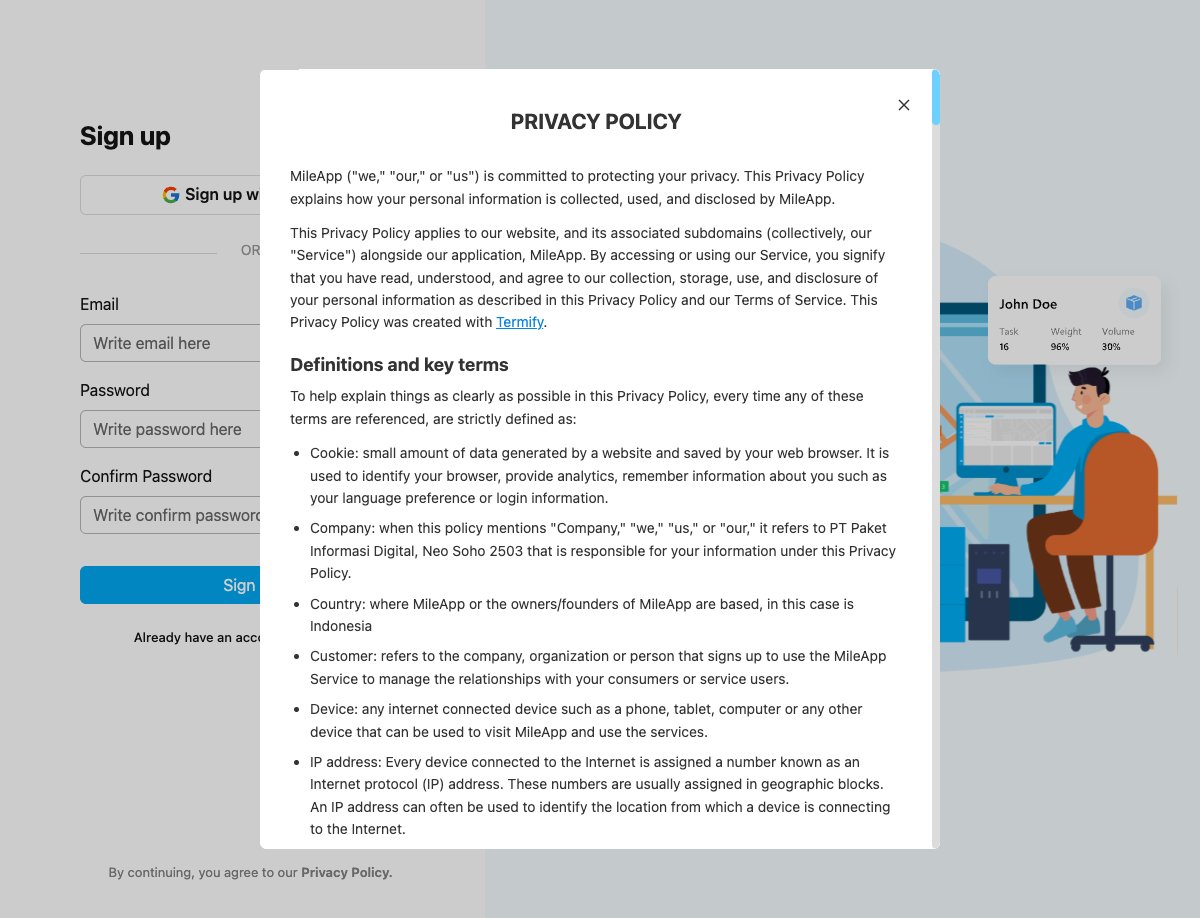
Privacy policy modal showing policy details
- Data Collection: What information MileApp collects
- Data Usage: How your data will be used
- Data Protection: Security measures in place
- User Rights: Your rights regarding your data
- Contact Information: How to reach MileApp regarding privacy concerns
- Close the modal
- Complete the registration form
- Click “Sign Up” to create your account
During Google Signup
Step 1: Click “Sign up with Google” On the registration page, click the “Sign up with Google” button at the top of the form. Step 2: Review Privacy Information You’ll see an informational screen with the text:“Before using this application, you can review the privacy policy and terms of service at mile.app”(Text appears in your selected language: English, Indonesian, or other supported languages) Step 3: Review Policy (Optional) You can click on the links to review:
- Privacy policy at
https://mile.app/privacy - Terms of service at
https://mile.app/terms
- Select your Google account
- Grant MileApp permission to access your basic profile information
Language Support
The privacy policy is available in multiple languages to accommodate international users:
The language displayed is based on:
- User’s browser language preference
- Account language setting
- Default to English if preferred language is unavailable
Organization Data Retention and Deletion
In order to maintain system efficiency and manage inactive accounts, MileApp may automatically delete organizations that remain inactive for a prolonged period under the conditions described below.Definition of Inactive Organization
An organization will be considered inactive if no user within the organization logs in or performs any activity within the MileApp web platform for the specified period.Free Plan Organizations (Never Upgraded to Paid Plan)
Organizations that use the Free plan and have never upgraded to a paid subscription (Pro or Enterprise) may be permanently deleted if the organization remains inactive for three (3) consecutive months.Organizations Previously Subscribed to Paid Plans
If an organization has previously subscribed to a Pro or Enterprise plan and later downgrades to the Free plan, MileApp will apply an extended retention period. In such cases:- A nine (9) month grace period will apply starting from the date the organization is downgraded to the Free plan.
- After this grace period, the organization will be evaluated for inactivity.
- If the organization remains inactive for three (3) consecutive months following the grace period, the organization and its associated data may be permanently deleted.
Deletion Notifications
Before an organization is permanently deleted due to inactivity, MileApp will attempt to notify the organization through the registered contact email. Notifications may be sent at the following intervals prior to deletion:- 30 days before deletion
- 7 days before deletion
- 1 day before deletion
While MileApp will make reasonable efforts to send these notifications, MileApp does not guarantee that such notifications will be received, read, or successfully delivered. Failure to receive or read a notification will not prevent or delay the deletion of the organization and its associated data in accordance with this policy.
Frequently Asked Questions
Q: Is accepting the privacy policy mandatory? A: Yes, accepting the privacy policy is required to create a MileApp account. This ensures you understand how your data will be handled. Q: Can I change my mind after accepting? A: Yes, you can delete your account at any time through the organization settings, which will remove your data according to the privacy policy terms. Q: Where can I read the full privacy policy? A: The full privacy policy is available athttps://mile.app/privacy and can also be accessed during registration.
Q: What’s the difference between the privacy policy link on the registration page and verification code page?
A: The registration page shows the privacy policy in an in-app modal (popup window) that displays the policy content directly within the application. The verification code page footer contains a link that opens the full privacy policy at https://mile.app/privacy in a new browser tab, allowing you to review it while waiting for your verification code.
Q: Is the privacy policy different when signing up with Google vs. email?
A: No, the privacy policy content is the same regardless of signup method. However, the presentation differs: email registration shows the policy in an in-app modal, while Google signup shows informational text with links to review the privacy policy and terms of service before authentication.
Q: Does the privacy policy change?
A: The privacy policy may be updated periodically. Users will be notified of significant changes via in-app notifications.
Q: How do I contact MileApp about privacy concerns?
A: You can contact MileApp support at:
- Email: support@mile.app
- WhatsApp: +62 878-0878-3630
- Or through the support page at
https://mile.app/support
Related Documentation
External Links
- MileApp Privacy Policy - Full policy document
- MileApp Support - Contact support team
- MileApp Terms of Service - Terms and conditions