

What you need
- An OTP component in your Flow (or add one — see below).
- Your organization has OTP credit. WhatsApp OTP is charged per destination country (sending to a number abroad may cost more than a local one).
- WhatsApp OTP is sent from the official MileApp WhatsApp number. If your organization needs its own branded number, contact MileApp to arrange it.
Step 1: Open the Flow Builder
Sign in to MileApp on the web, open the Flow menu, and open the Flow you want to edit (or create a new one).Step 2: Add or open an OTP component
In the Flow Builder, add an OTP component to the page where verification is needed (or select an existing one). Selecting it opens its settings on the right, where you can set the Component Type (OTP), how the code is sent, the number of Digits, and the Recipient Field.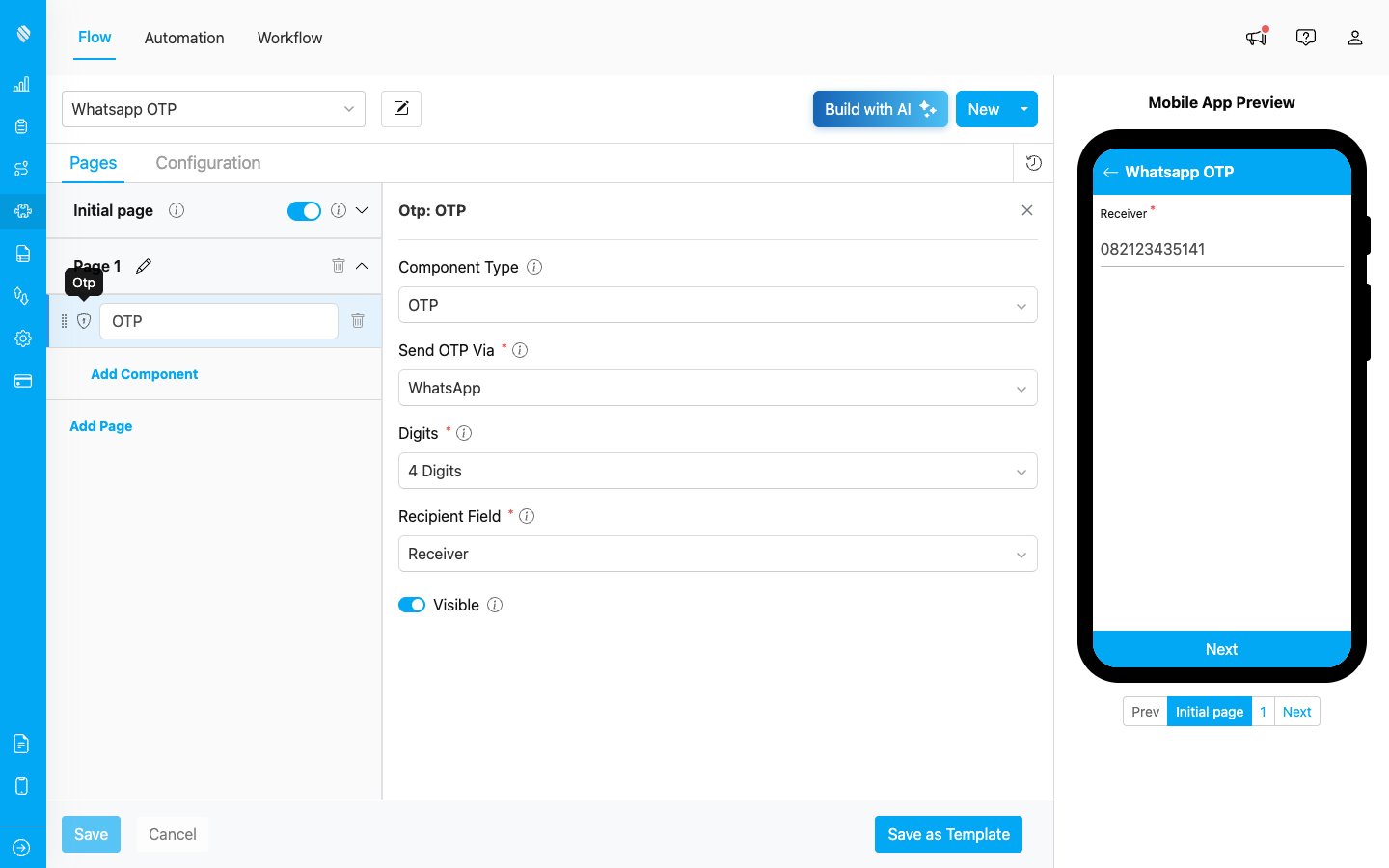
The OTP component and its settings in the Flow Builder
Step 3: Choose WhatsApp in “Send OTP Via”
In the OTP component settings, open the Send OTP Via dropdown and choose WhatsApp (you can also pick Email or SMS). Then set the Recipient Field to the field that holds the recipient’s phone number.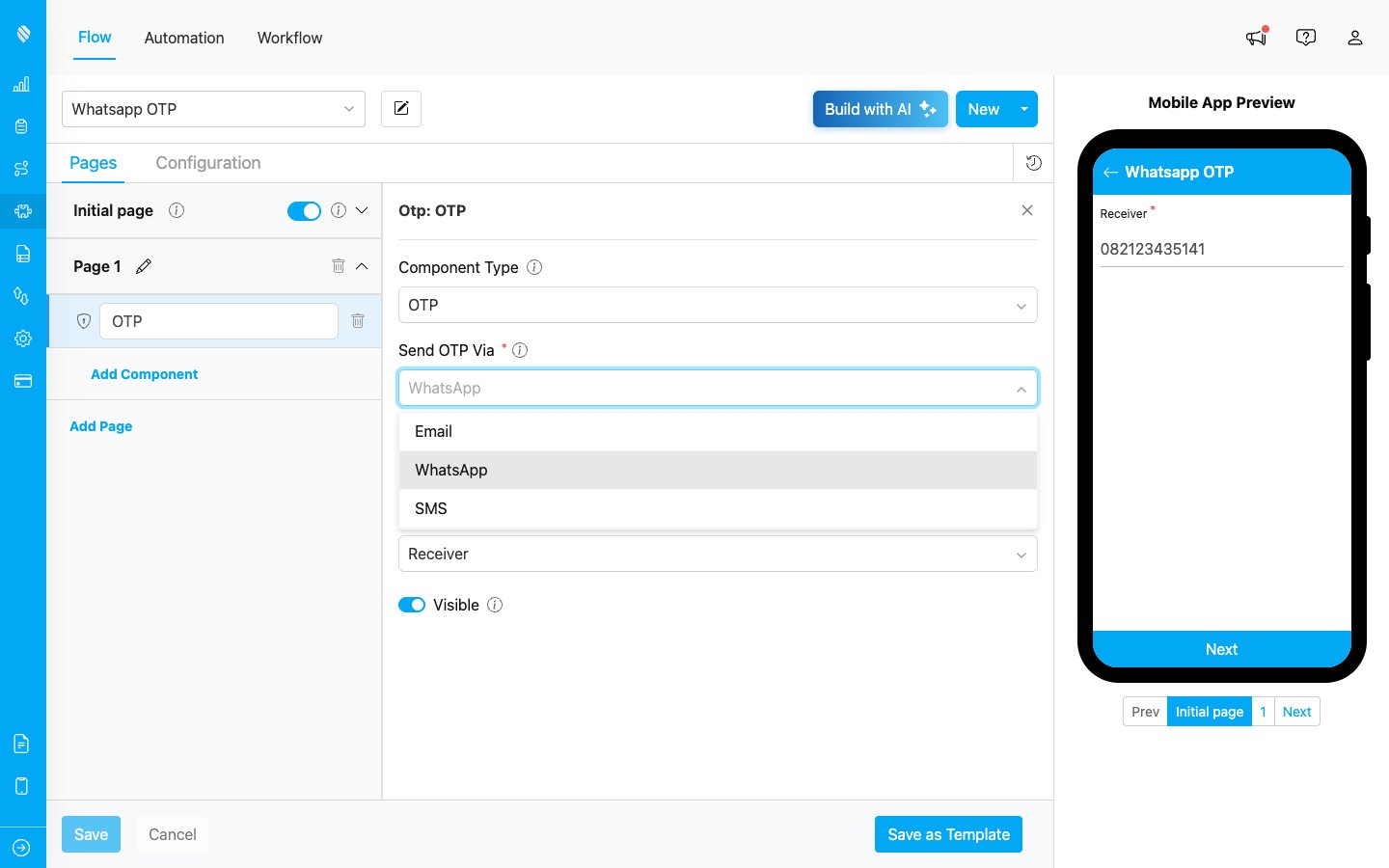
Choose WhatsApp in the “Send OTP Via” dropdown
Save the Flow.Step 4: How it works for the field worker
When the task reaches the OTP step:- MileApp sends a verification code to the recipient’s WhatsApp.
- The recipient reads the code and tells it to the field worker (or enters it).
- The field worker enters the code to complete verification.
Channels at a glance
| Channel | Sent to | Charged |
|---|---|---|
| Recipient’s email | Flat | |
| SMS | Recipient’s phone (SMS) | Per country |
| Recipient’s WhatsApp | Per country |