

Short Token is a security mechanism that lets you embed an authentication context in URLs without exposing your bearer token. It addresses a class of token-exposure issues that arise when MileApp invokes external services on your behalf — for example, when a Custom Module URL calls a third-party endpoint that needs to know who the user is.Documentation Index
Fetch the complete documentation index at: https://docs.mileapp.dev/llms.txt
Use this file to discover all available pages before exploring further.
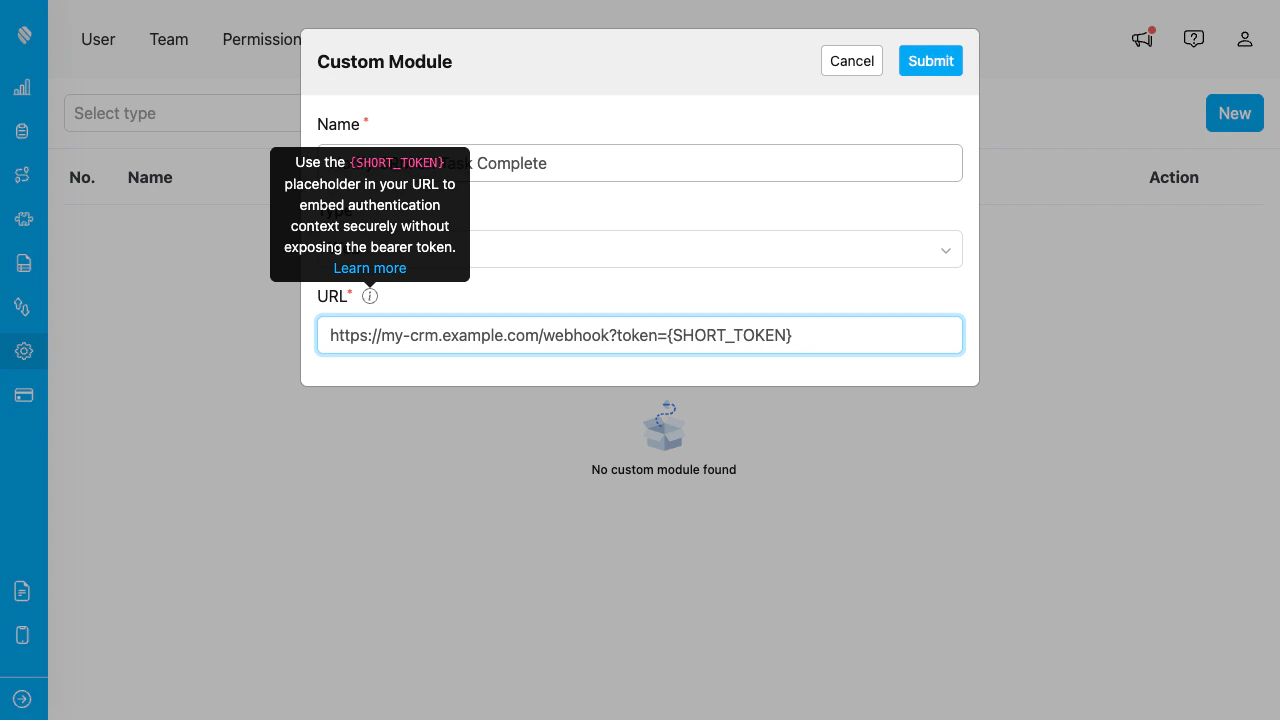
Inside the Add/Edit Custom Module dialog, the URL field accepts the {SHORT_TOKEN} placeholder. Hover the info icon next to the URL label to read the inline reminder.
Why Short Token?
Embedding a bearer token directly in a URL (e.g.,https://my-service.example/webhook?token=eyJhbGc...) exposes the credential to:
- External service logs — your URL is logged on the receiving server.
- Browser history — if a user pastes the rendered URL anywhere.
- Network monitoring — intermediaries may capture the query string.
How It Works
- Configure Custom Module URL with the
{SHORT_TOKEN}placeholder:
- MileApp invokes the URL. Before sending, MileApp generates a fresh short token (5 min TTL) and substitutes the placeholder. Your service receives:
- Your service resolves the short token via the public API:
-
The response includes the original
bearerTokenplususerIdandorganizationId. Use them to authorize the request on your side. -
If the short token has expired (after 5 minutes) or is invalid, the resolve endpoint returns
400. Treat this as an unauthenticated request.
Constraints
- TTL: 5 minutes. Plan your external service to resolve the short token promptly on receipt, not asynchronously.
- Single-use, single-context. Each short token resolves to exactly one bearer/user/org. Resolving it twice may still return data (no strict single-use guarantee), but never assume re-use is reliable.
- No authentication required for resolve. The short token itself is the credential. Treat it like a one-time password — short-lived, sensitive, and never reused for logging.