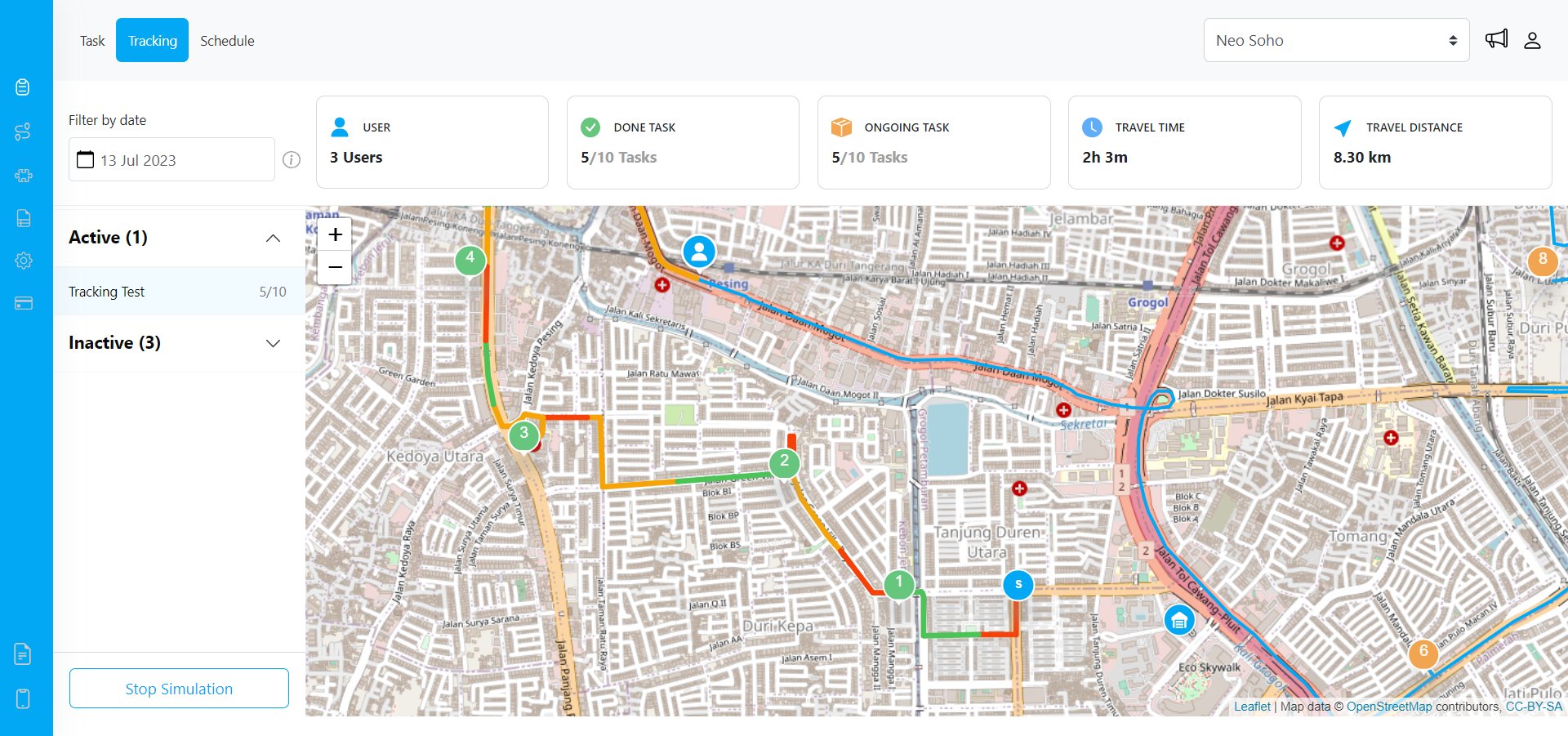
The Task Tracking system allows you to monitor the user’s task & location. This page could help you to simplify the monitoring process of the user’s current location, their location history, the current ongoing or finished task, their speed info based on the actual route that they take, and even an estimate of ETA for their next task.
image
We highly suggest that you activate our Start Finish feature to ensure that your user locations are recorded properly to be shown here on the Tracking page.

Set up the Start Finish Feature

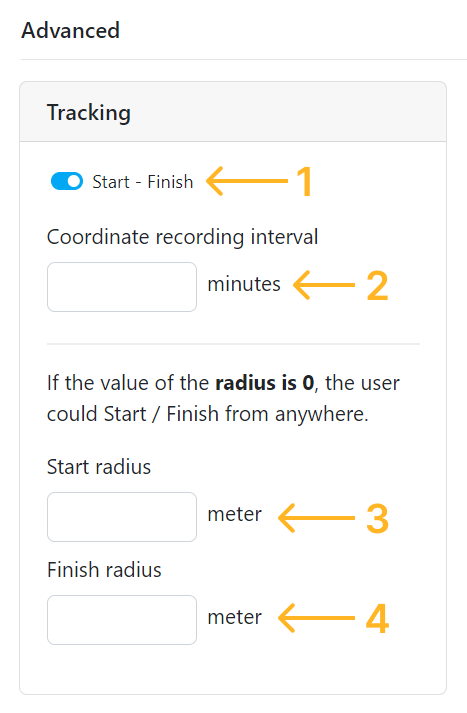
The Task Tracking location histories will be generated properly if you activate the Start Finish feature from the Permission page. At the Start Finish feature setting you could define the recording interval of the user location history, and you could also define the radius around your hub that will only allow users to Start & Finish when they are around that radius distance from your hub. This is where you set up the Start Finish feature:
  1. Toggle to activate / deactivate this features.
  2. How often the coordinate of the MileApp Field user will be recorded.
  3. The radius around the hub where the MileApp Field user could start to accessing their task.
  4. The radius around the hub where the MileApp Field user could Finish to stopped accessing their task and stopped the coordinate recording.
image
For instance, you could set the coordinate recording interval to 5 minutes, which means the app will record the user’s coordinates every 5 minutes. Additionally, if you set the radius to 500 meters, the MileApp Field user could start accessing their task after they Start at 500 meters or less from the hub. The mobile app user will be able to access their task as long as they have Start. This also applied to Finish radius of 500 meters, which requires users to be within 500 meters or less from the hub to Finish. After users are Finish, they have to Start again to access their tasks.