

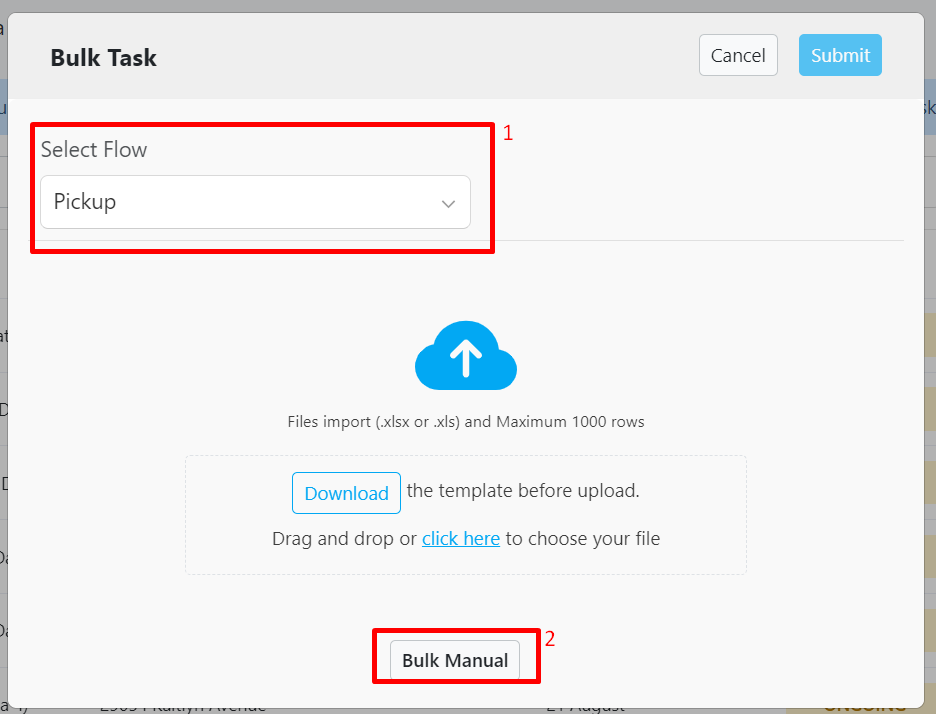
- Select a Flow.
- Click Bulk Manual.
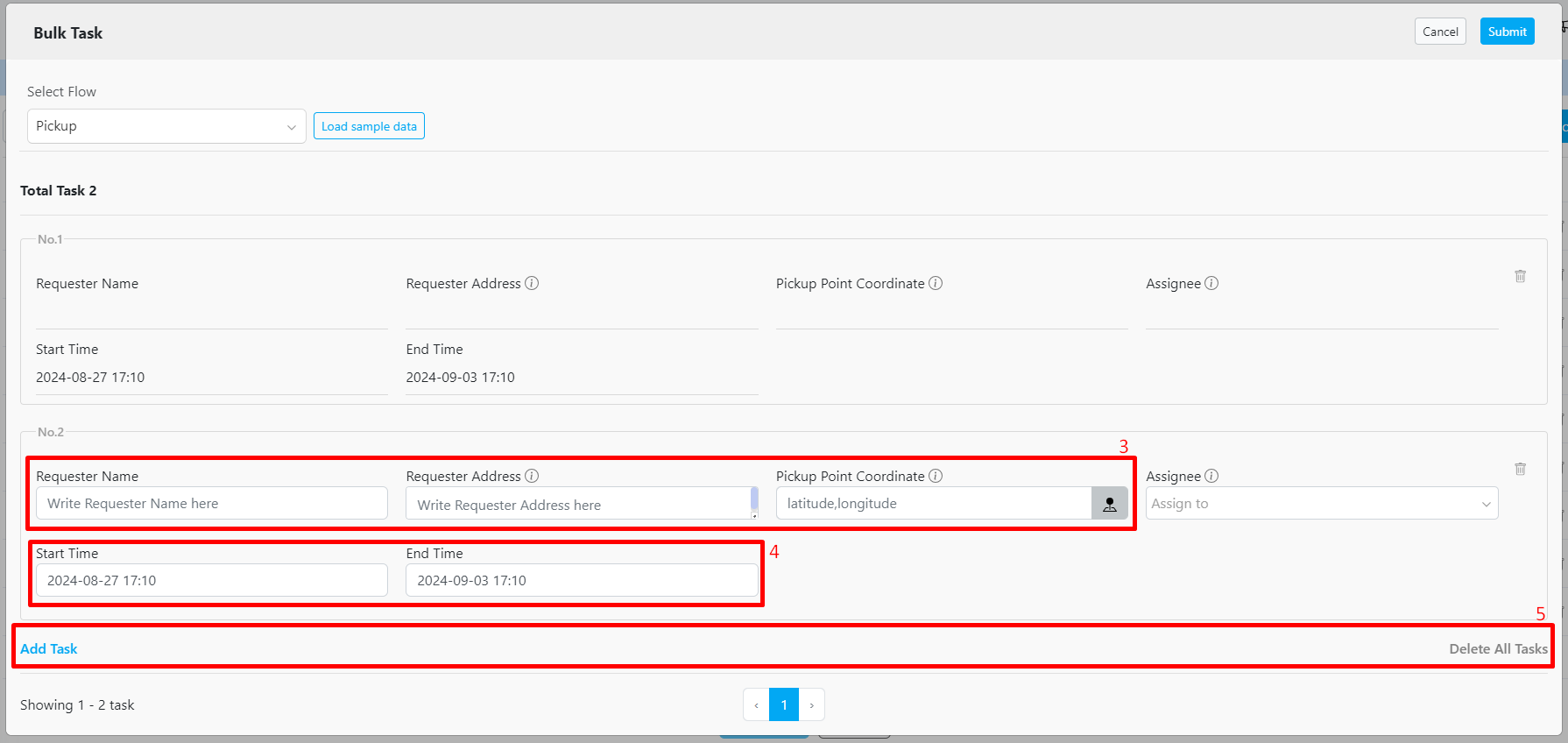
- Fill in the information.
This field will vary based on your Flow settings. - You can use the default configuration from the Flow, or you can manually adjust the Start and End time.
The configuration can be found at Flow Configuration, Time. - Use the action buttons to add or delete a Task.