

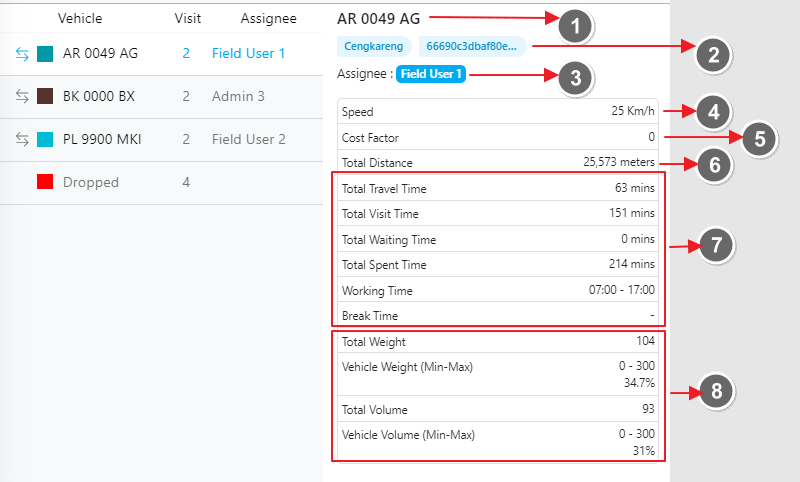
- Vehicle Name: The name assigned to the vehicle.
- Vehicle Tags: Any tags associated with the vehicle.
- Assigned Field User: The field user assigned to this vehicle.
- Speed: The speed of the vehicle, customizable based on your settings.
- Cost Factor: Details about the cost factor for this vehicle. A higher cost factor means the vehicle is less likely to be optimized for routes.
- Total Distance: The total distance covered by this vehicle in the optimization.
- Time related information: This includes Total Travel Time, Total Visit Time, Total Waiting Time, Total Spent Time, Working Time, and Break Time.
- Vehicle Constraints: Information about the maximum capacity and the percentage of capacity utilized.