Documentation Index

Fetch the complete documentation index at: https://docs.mileapp.dev/llms.txt

Use this file to discover all available pages before exploring further.

Required permission:
  • Export Task
  • View custom export
  • Delete custom export
You can delete an existing Custom Export by following these steps:
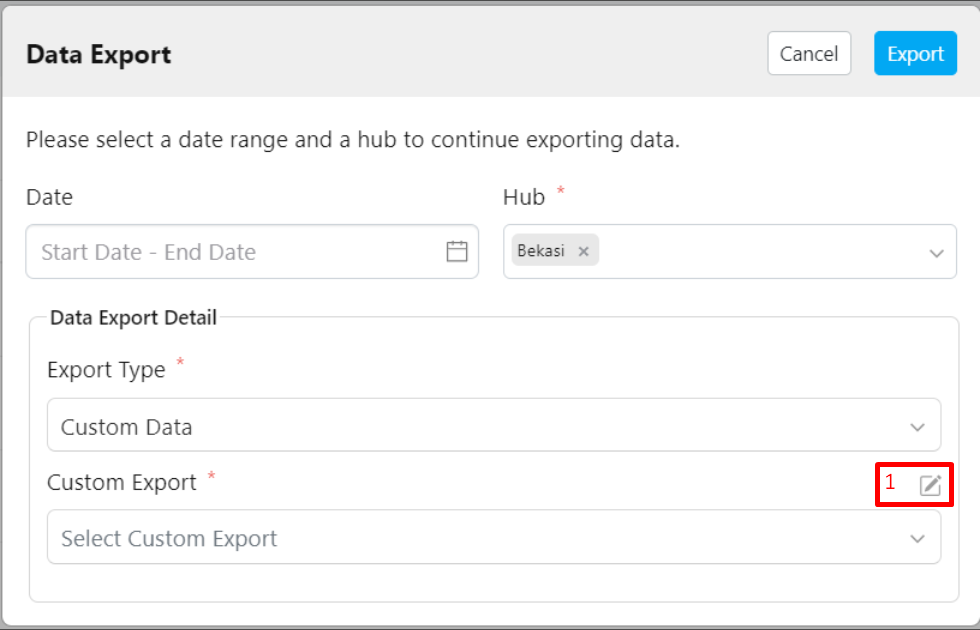
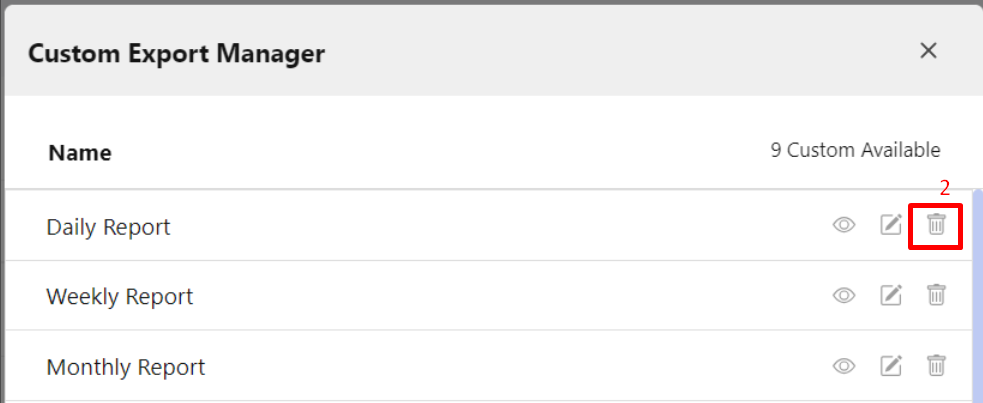
Custom Export Display
Popup Confirmation Delete Display
Steps to Delete a Custom Export:
  1. Click the pencil icon (Custom Export Manager) located next to the Custom Export field.
  2. Select the Custom Export you want to delete, then click the delete (trash) icon.
  3. Confirm the deletion by clicking the Delete button.
Note: Make sure you review the Custom Export before deleting it, as once deleted, it cannot be restored.