

My Target is a separate add-on from Sales Target Manager. It must be installed independently. The Sales Target Manager add-on must also be installed and configured first, as My Target reads the target data set up there.
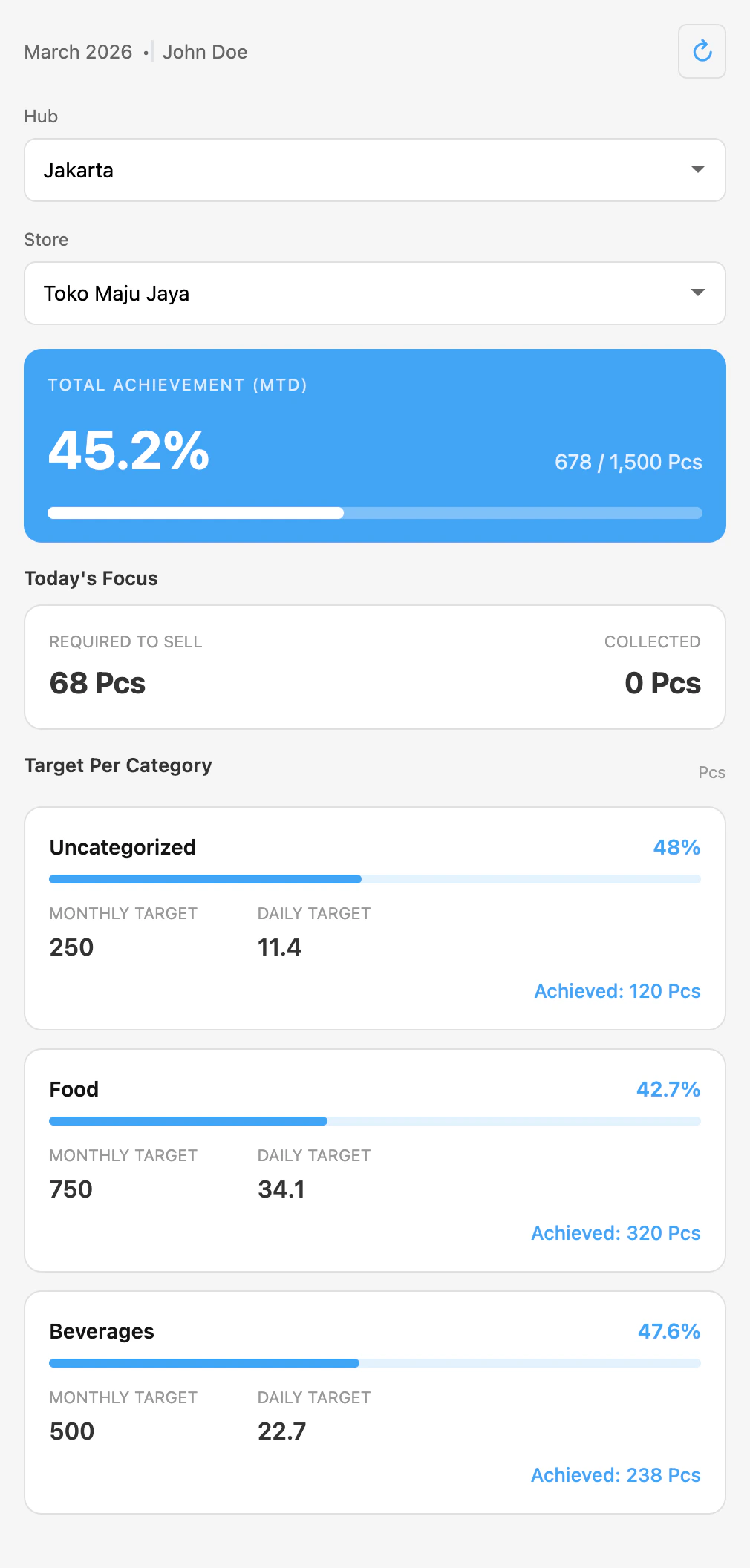
The My Target page shows your achievement card, today’s focus, and per-category breakdowns.
Accessing My Target
Required permission:
- View Sales Target - My Targets
Overview
When you open My Target, you will see:- Current period and your name at the top
- City and Store selectors to switch between your assigned locations
- Total Achievement card showing your overall progress
- Today’s Focus section with daily goals
- Target per Category section with detailed breakdowns
Switching City and Store
If you have targets assigned across multiple locations, use the dropdown selectors at the top of the page to switch between them. The page updates automatically when you select a different city or store.Total Achievement
The main achievement card at the top of the page shows:- Achievement percentage (e.g., 45.2%): how much of your monthly target you have completed
- Achieved vs. target values (e.g., “452 / 1,000 pcs”): the actual numbers
- Progress bar: a visual indicator of your progress
Today’s Focus
The Today’s Focus section helps you understand what you need to accomplish today:- Required to Sell: Your daily target (total monthly target divided by active days). This is the amount you should aim to sell each working day to stay on track.
- Collected: How many units you have sold today based on completed tasks.
Target per Category
Each product category has its own card showing:- Category name and achievement percentage
- Progress bar for that category
- Monthly target: your goal for this category for the entire month
- Daily target: the daily goal for this category
- Achieved: how much you have completed in this category so far
Refreshing Data
To see the latest data, tap the refresh button on the page. Your achievement numbers update as you complete tasks throughout the day, but you may need to refresh to see the most recent changes.Troubleshooting
If you see unexpected messages on the My Target page:- “No target assigned”: Your administrator has not yet created a target for your email address this month. Contact your manager to have a target assigned.
- “Add-on not configured”: The Sales Target add-on setup has not been completed. Contact your administrator to complete the setup.
- Data not updating: Make sure you are connected to the internet and try refreshing the page. Achievement data is updated after tasks are marked as completed.