

- Allows vehicles to return to hub during working hours
- Enables multiple trips per vehicle in one working period
- Useful when visits exceed single vehicle capacity
- Automatically enables Return to Hub when activated
Activate Multi Trip
To activate Multi Trip, follow these steps:- Go to the Routing/Configuration menu.
- Check the “Multi Trip” checkbox.
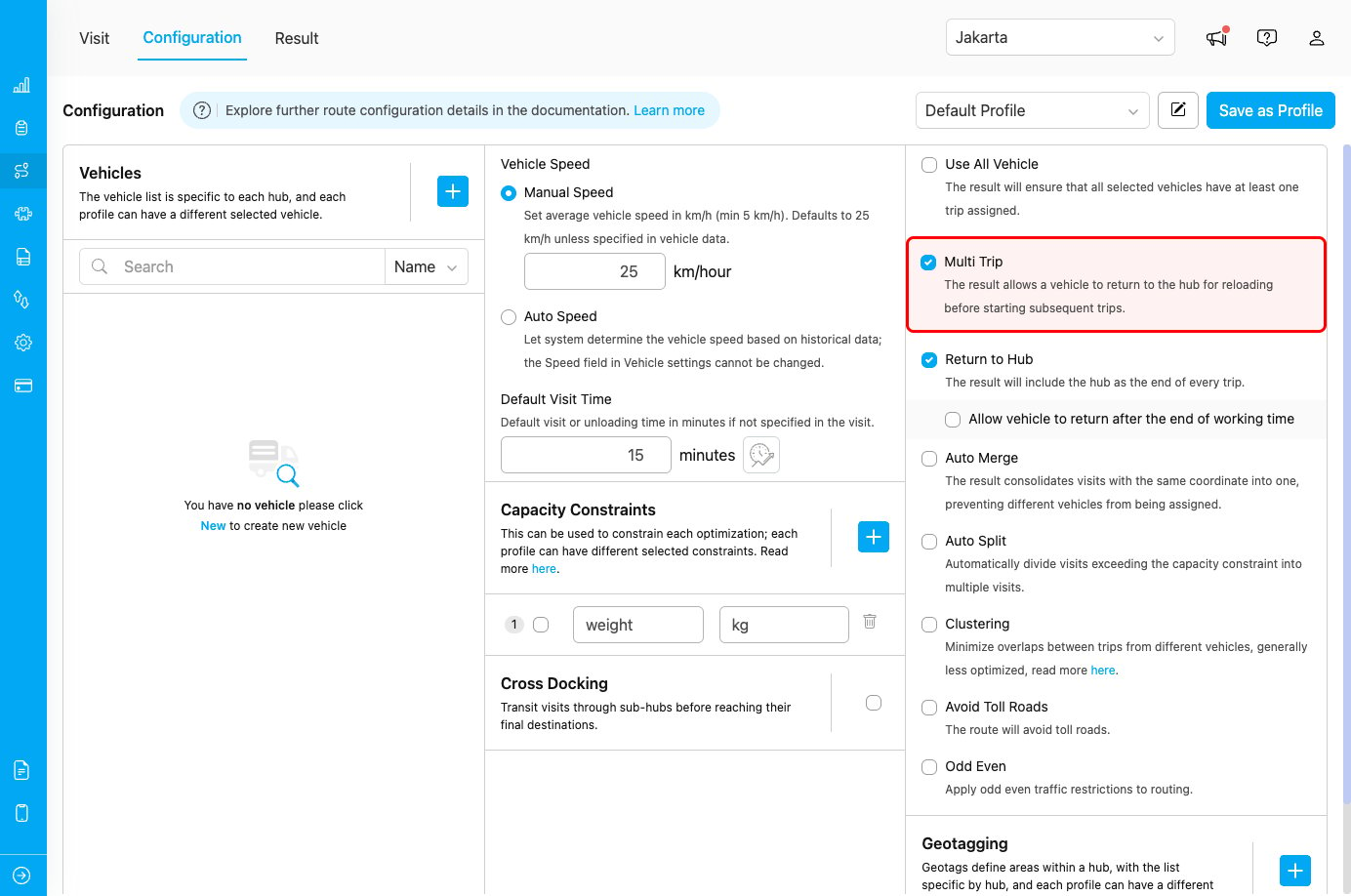
Multi Trip configuration checkbox
How Multi Trip Works
Without Multi Trip (Default Behavior)
Each vehicle is assigned a single continuous route:- Objective: Complete all assigned visits in one trip
- Constraint: Limited by vehicle capacity
- Result: Some visits may not be assigned if capacity is exceeded
- Use case: When all visits fit within vehicle capacity
- Vehicle capacity: 20 packages
- Total visits: 35 packages
- Result: Vehicle 1 handles 20 packages, Vehicle 2 handles 15 packages
With Multi Trip Enabled
Vehicles can make multiple trips:- Objective: Maximize visit completion with multiple trips
- Flexibility: Return to hub for reloading
- Result: Same vehicle can handle more visits across trips
- Use case: When visits exceed single-trip capacity
- Vehicle capacity: 20 packages per trip
- Total visits: 35 packages
- Result: Vehicle 1 makes 2 trips (20 + 15 packages)
Use Cases
Use Case 1: High-Demand Days
Scenario: A delivery company has 50 deliveries but only 3 vehicles available, each with capacity for 20 deliveries. Configuration:- Multi Trip: Enabled
- Return to Hub: Automatically enabled
- Vehicle capacity: 20 deliveries each
Use Case 2: Perishable Goods
Scenario: Food delivery service needs to maintain product freshness by reducing time between pickup and delivery. Configuration:- Multi Trip: Enabled
- Shorter routes per trip
- Frequent hub returns
Use Case 3: Mixed Load Types
Scenario: Logistics company handles different product types requiring separate trips (fragile, heavy, temperature-sensitive). Configuration:- Multi Trip: Enabled
- Capacity constraints by product type
- Return to Hub for load switching
Best Practices
When to Use Multi Trip
✓ Use when:- Total visits exceed single-trip vehicle capacity
- You want to maximize vehicle utilization
- Working hours are long enough for multiple trips
- Hub location is centrally positioned for efficient returns
- Cost of multiple trips is lower than adding more vehicles
- Visits are geographically clustered near the hub
- Visits fit comfortably in single-trip capacity
- Hub location is far from service area (high return cost)
- Working hours are too short for multiple trips
- Time windows don’t allow for hub returns
- Travel time to hub exceeds efficiency gains
Combining with Other Features
Works well with:Relationship with Return to Hub
Multi Trip has a special relationship with Return to Hub:
This dependency exists because multi-trip routing requires vehicles to return to the hub between trips.