

Configure The Dynamic Visit Time
- Navigate to Routing/Configuration menu.
- Look for the Default Visit Time input field.
- Adjacent to this field, you will find the Dynamic Visit Time icon.
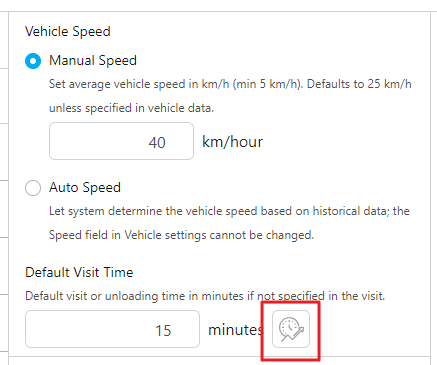
- Hover over the icon to view tooltip text for guidance.
- Click on the Dynamic Visit Time icon to initiate configuration.
- A pop-up window will appear, displaying checked capacity constraints.
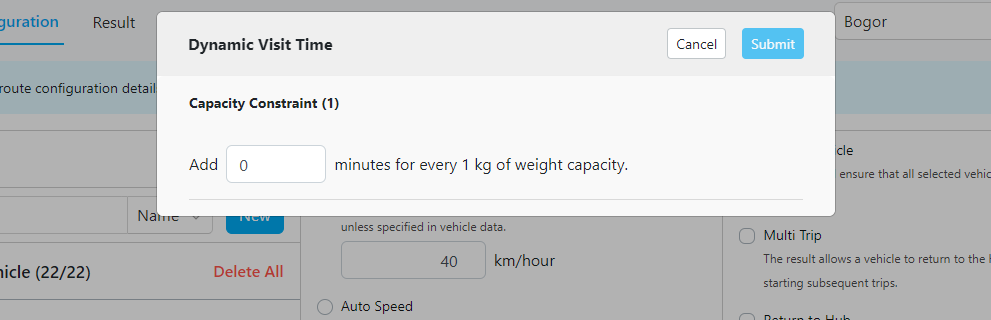
- Define the visit time for each capacity constraint according to your requirements.
- If you do not wish to utilize a specific capacity constraint for routing optimization, you can either set its visit time to zero (0).
- Once you have configured the dynamic visit times for capacity constraints, click the “Submit” button to save your changes.
- If the per-visit visit time is unspecified, it will be calculated as the sum of the default visit time and dynamic visit time.
- If both per-visit visit time and default visit time are specified, priority is given to the per-visit visit time.