

Required permission:
- View configuration
- Create configuration
- Edit configuration
How to Activate Avoid Chemical Zones
- Go to the Routing ➝ Configuration menu.
- Check the “Avoid Chemical Zones” option.
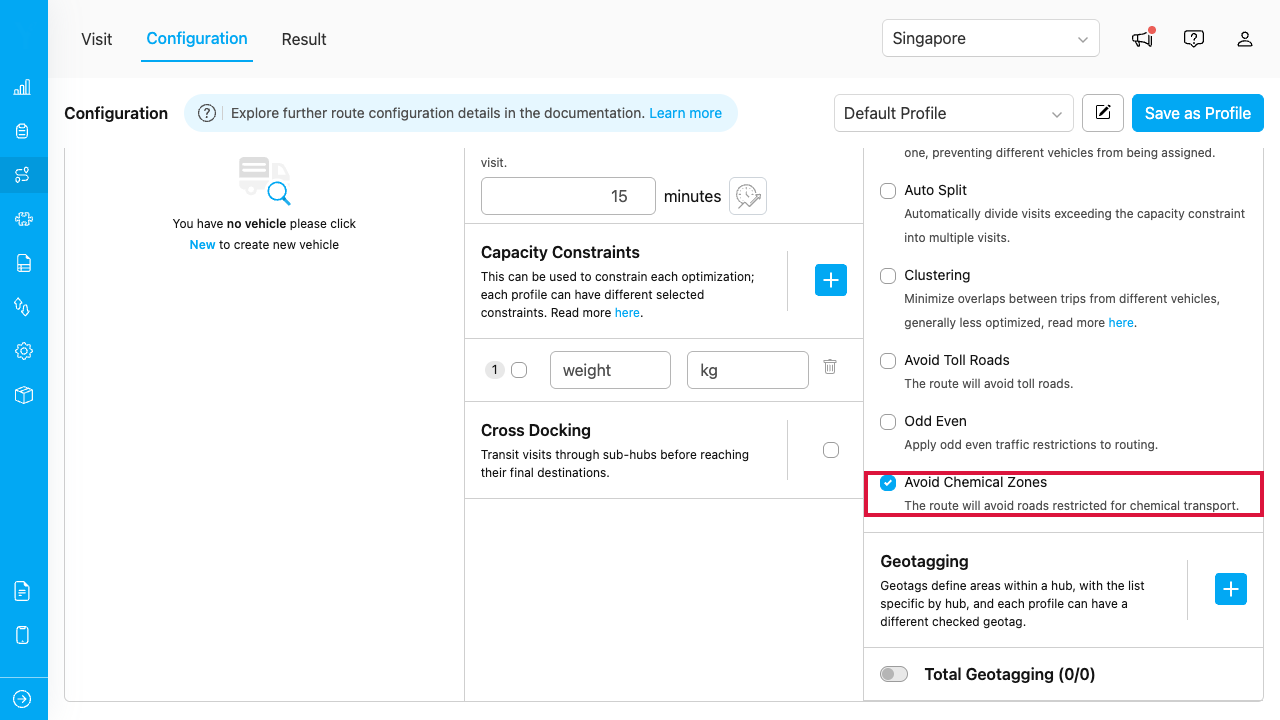
The Avoid Chemical Zones option in the Routing Configuration page
Once activated, the route optimization will automatically exclude roads restricted for chemical transport when generating routes. When this option is disabled, these roads may be used as part of the generated route based on the optimization result. You can review the configuration used for an optimization in the tooltip beside the Optimize button and on the routing result list.Avoid Chemical Zones currently applies to Singapore only. The chemical-restricted road data is managed by MileApp — if you want to add or register a road as restricted for chemical transport, please contact MileApp support.
Restricted Roads in Singapore
The following roads and areas in Singapore are restricted for vehicles carrying hazardous (hazmat) or flammable chemicals. These restrictions are set by the Singapore authorities — NEA (National Environment Agency) and SCDF (Singapore Civil Defence Force) — for safety, protection of clean-water sources, and city traffic management. Vehicles that do not carry chemicals are not affected by the restrictions on this page. There are three types of restriction:Expressway Tunnels — Restricted 24 Hours
Vehicles carrying hazardous or flammable chemicals are strictly prohibited from entering the following tunnels at any time. Tunnels are enclosed spaces, so a leak or fire inside them is extremely dangerous.Water Catchment Areas — Restricted 24 Hours
The following roads cross or directly border nature reserves and reservoirs. This restriction prevents contamination of Singapore’s main clean-water sources in the event of a chemical spill.Central Business District (CBD) — Peak Hours Only
In the city centre, chemical transport vehicles are prohibited during peak hours, unless they hold a permit for direct loading/unloading at that location. Restricted hours:- Morning: 07:30 – 09:30
- Evening: 17:00 – 19:00
- Orchard Road (main shopping district)
- Raffles Quay / Raffles Place
- Shenton Way
- Robinson Road
- Cecil Street
- Marina Boulevard
- Bayfront Avenue (around Marina Bay Sands)
- Anson Road
- Tanjong Pagar Road
- South Bridge Road (Chinatown)
- New Bridge Road
- North Bridge Road
- Bras Basah Road
- Nicoll Highway (inner-city section)