

What is Use All Vehicle?
By default, the route optimization engine tries to minimize the number of vehicles needed to complete all visits. This often results in some vehicles being unused while others handle multiple trips. When Use All Vehicle is enabled, the optimization algorithm changes its objective to distribute work across all selected vehicles, ensuring every vehicle gets at least one assigned trip. Key Characteristics:- Ensures all selected vehicles have at least one trip
- Distributes workload more evenly across the fleet
- Useful when you need to utilize your entire fleet
Activate Use All Vehicle
To activate Use All Vehicle, follow these steps:- Go to the Routing/Configuration menu.
- Check the “Use All Vehicle” checkbox.
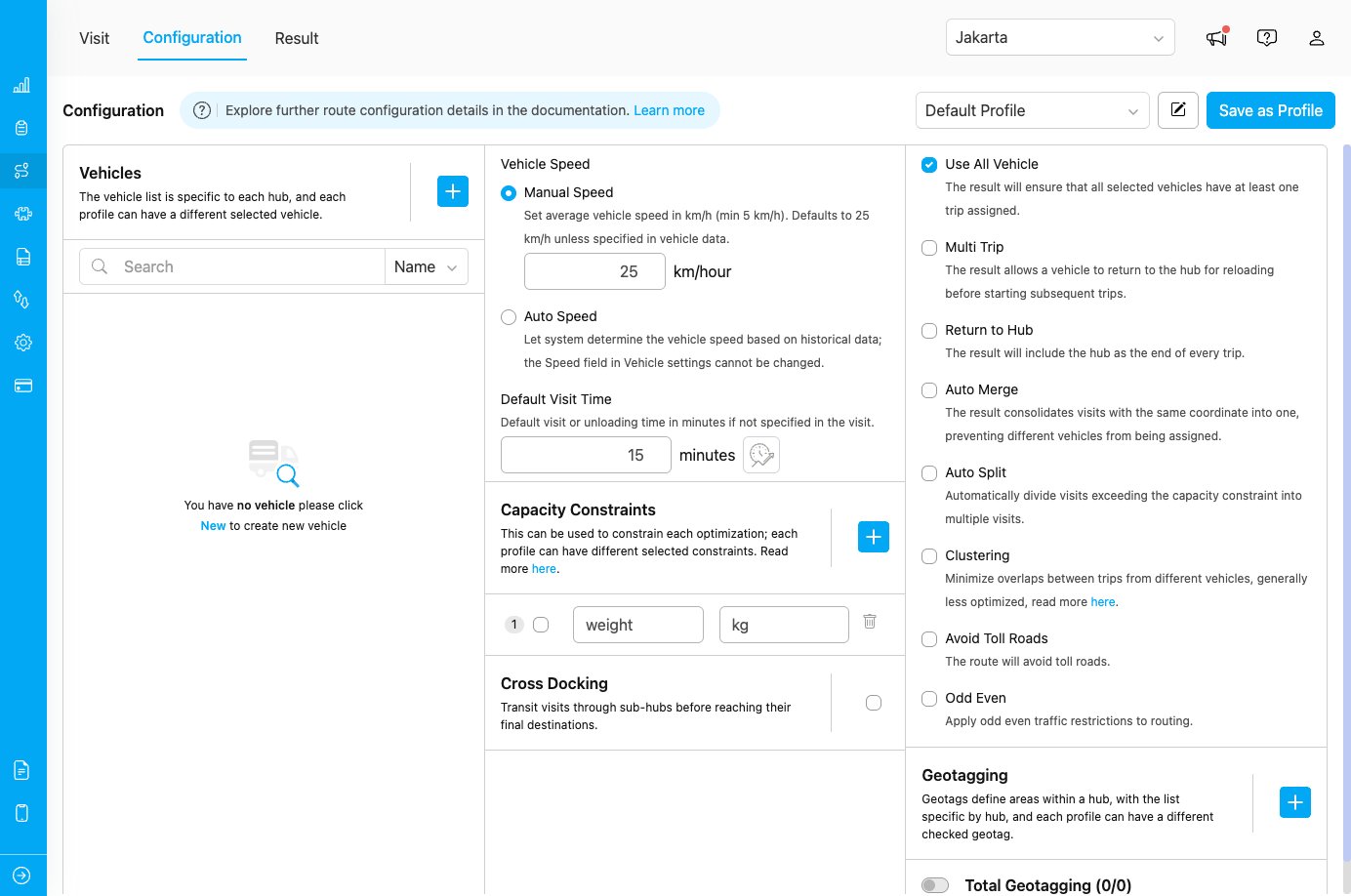
Use All Vehicle configuration checkbox
How Use All Vehicle Works
Without Use All Vehicle (Default Behavior)
The optimization engine minimizes the number of vehicles needed:- Objective: Use the fewest vehicles possible
- Result: Some vehicles may remain unused
- Use case: When minimizing operational costs is the priority
- 5 vehicles selected, 20 visits to optimize
- Result: 3 vehicles with trips, 2 vehicles unused
- The 3 active vehicles cover all visits efficiently
With Use All Vehicle Enabled
The optimization engine ensures all vehicles are utilized:- Objective: Distribute work across all selected vehicles
- Result: Every vehicle gets at least one trip
- Use case: When utilizing the entire fleet is important
- 5 vehicles selected, 20 visits to optimize
- Result: All 5 vehicles have assigned trips
- Work is distributed across the fleet (e.g., 4-4-4-4-4 visits per vehicle)
Use Cases
Use Case 1: Fixed Fleet Deployment
Scenario: A logistics company has 10 drivers reporting for work daily and wants to ensure everyone has deliveries assigned. Configuration:- Use All Vehicle: Enabled
- Number of vehicles selected: 10
Use Case 2: Fair Workload Distribution
Scenario: Distribution center wants to distribute deliveries fairly among all available drivers to maintain team morale. Configuration:- Use All Vehicle: Enabled
- Multi Trip: Enabled (if needed for balance)
Use Case 3: Vehicle Utilization Requirements
Scenario: Company policy requires utilizing all rented vehicles daily to maximize rental investment. Configuration:- Use All Vehicle: Enabled
- Return to Hub: Enabled (for clear end points)
Use Case 4: Training New Drivers
Scenario: Multiple new drivers need on-the-job training, requiring each to handle at least one route. Configuration:- Use All Vehicle: Enabled
- Shorter routes per vehicle (natural result of distribution)
Best Practices
When to Use “Use All Vehicle”
✓ Use when:- All drivers/vehicles are available and should be utilized
- Fair workload distribution is important for team morale
- Company policy requires full fleet deployment
- You have fixed costs for all vehicles (rentals, driver salaries)
- Training requires all drivers to have active routes
- Customer service requires coverage across different areas
- Minimizing operational costs is the primary goal
- You have excess vehicle capacity
- Some vehicles are on standby or backup status
- Visits can be efficiently handled by fewer vehicles
- You want flexibility to keep some vehicles available for urgent requests